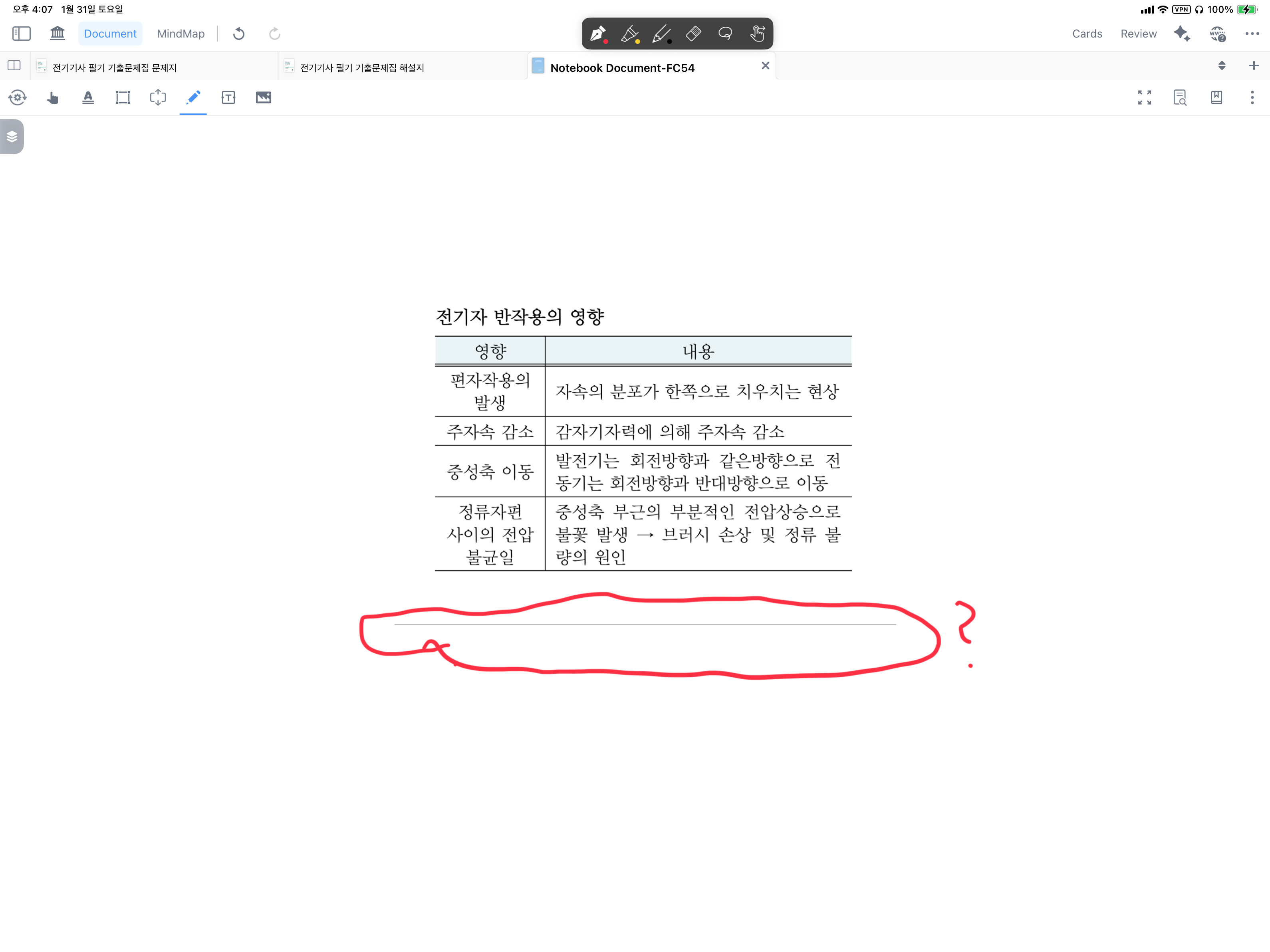
[Environment]
• Device: iPad Pro 12.9-inch (5th Generation)
• OS: iPadOS 18.7.3
• App Version: MarginNote 4.2.4
[Description]
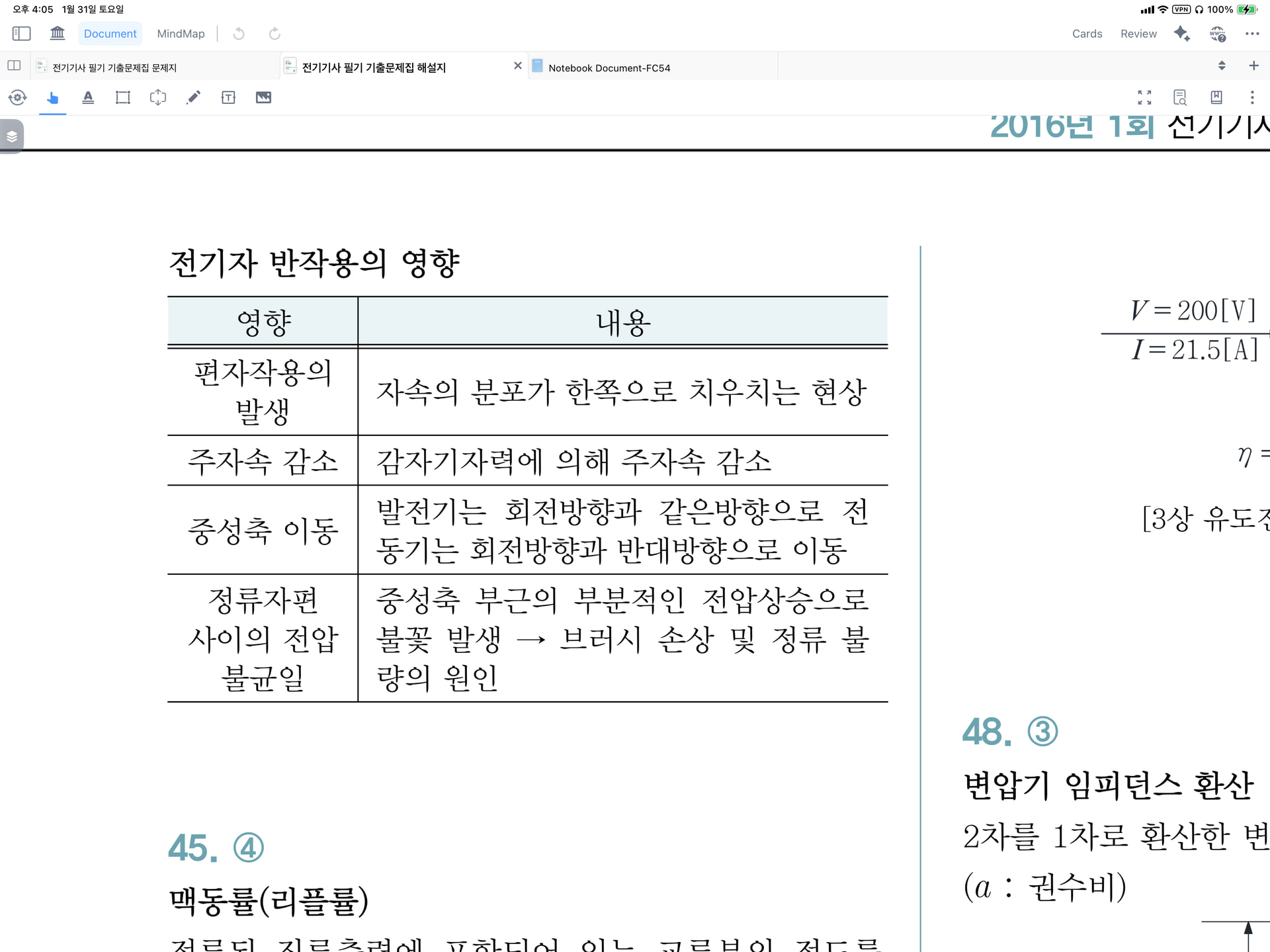
As shown in the attached screenshots, there are no lines in the original source file. I specifically defined the selection area within the empty margins to ensure a clean crop.
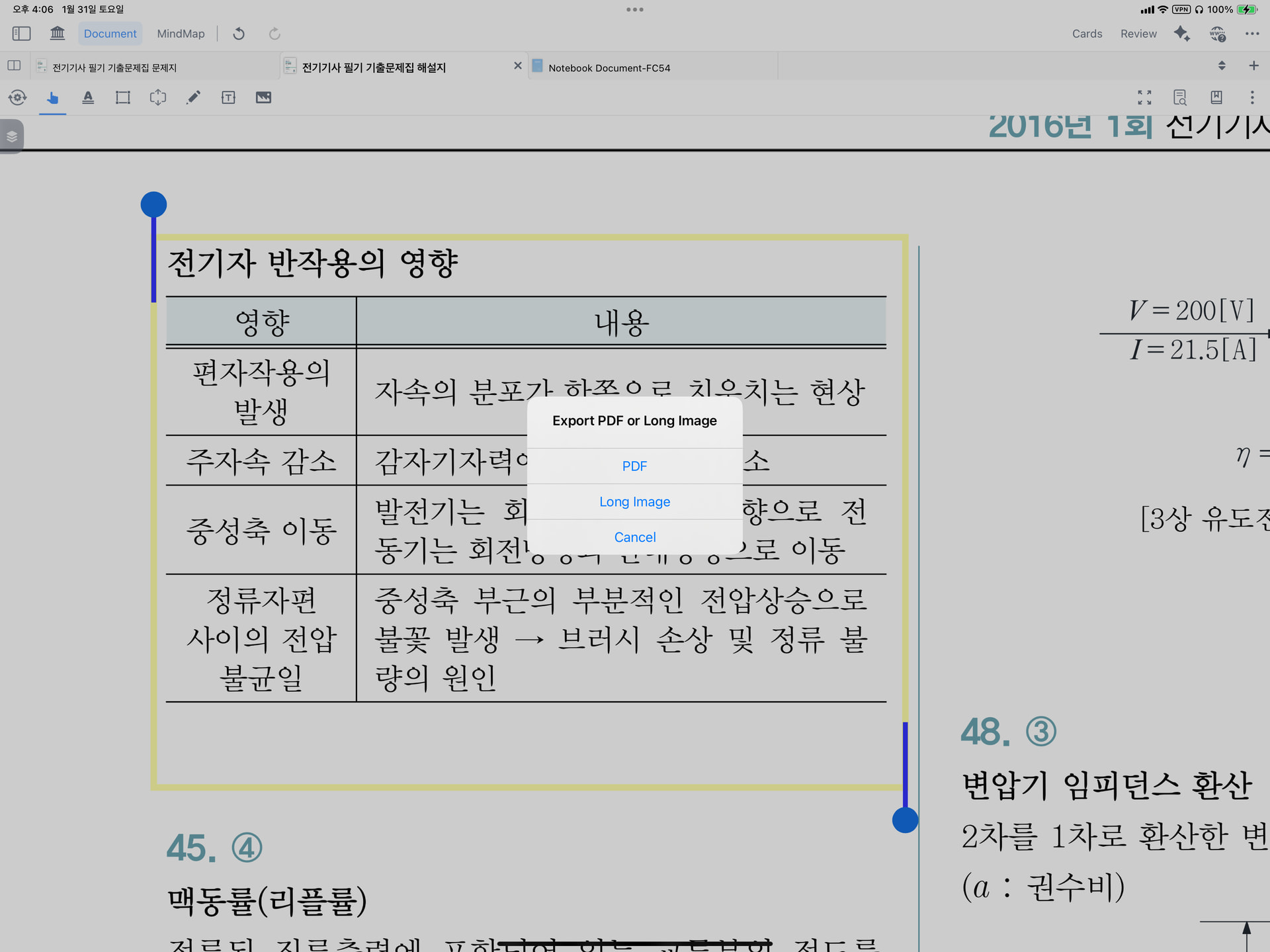
However, when exporting the selection using the “Long Image” feature, unintended lines appear at the very bottom of the exported image. These lines occur inconsistently, and their thickness appears to be random with each export.