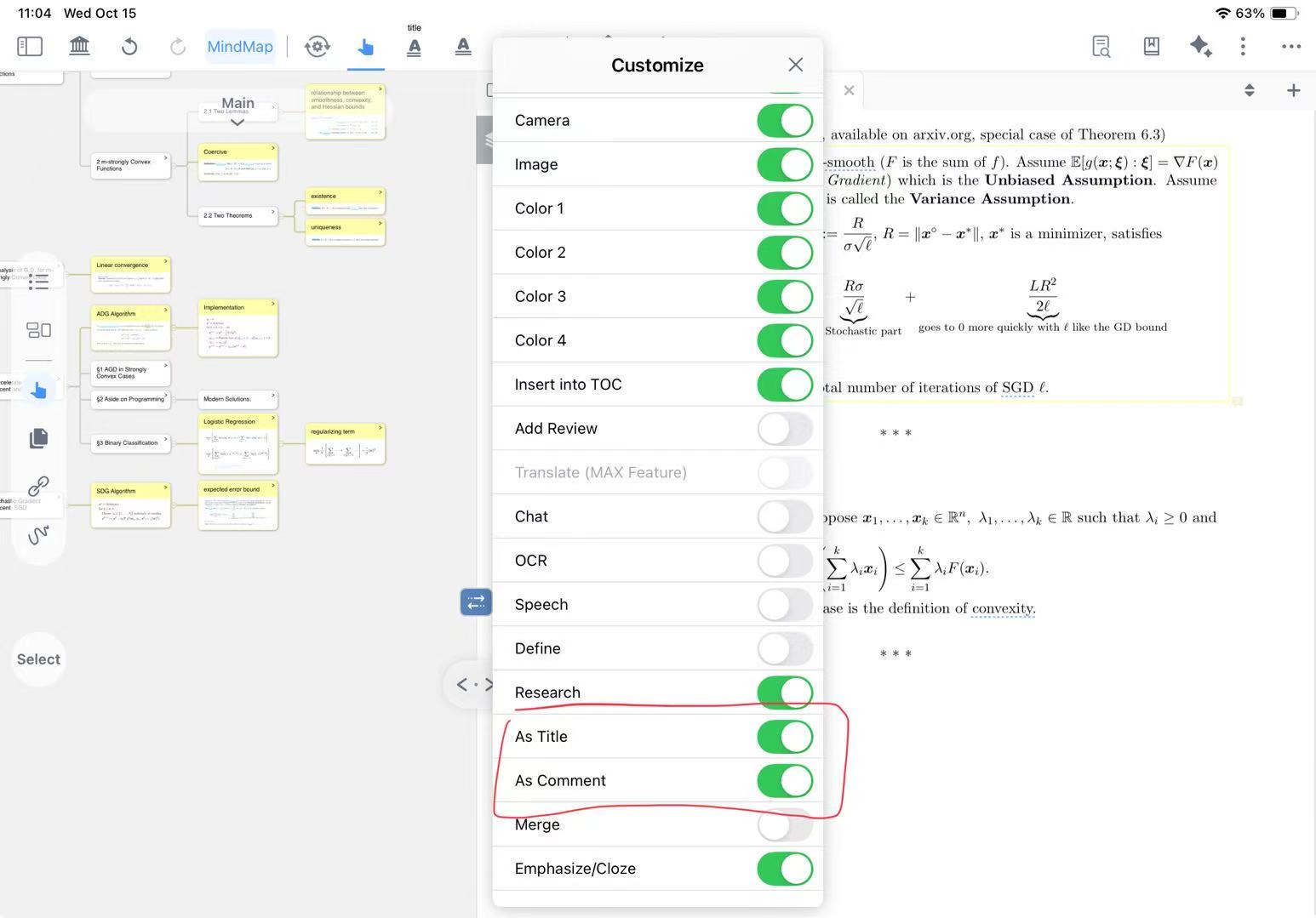
Hi, I am wondering how we use this “As Title” feature. It seems to allow selected text to automatically add as title to cards, but it only occasionally appear. Is there a way to make it appear all the time?
edit:
I kind of found the problem. I added pages to the end of original document. For the cards that are in the original doc, the “As Title” function works fine. However, for the cards in the added pages, the “As Title” would not appear what as ever. Is this a bug?
editedit:
it turns out, “add page” does not insert into the original document, it added the new pages as separate docs in the studyset, and display the new doc as new pages in the original doc. To solve the above “bug”, open the new doc directly in study set, not as new pages in original doc.
BTW, can we added a functionality that “add pages” is truly adding new pages to the original doc?
Hello, thank you for your detailed feedback. I will organize it and discuss it in the meeting.
When you add new pages after the original document, you can export them as a single PDF during the export process. Additionally, regarding the excerpt cards in the new pages you added—were they created by handwriting, or are they the original text from the newly added pages?
I would like to know why you frequently add and export pages in PDFs. If this usage scenario is representative, we will improve the functionality based on this workflow.
I am a university student, most of my profs releases part of the notes weekly, not one whole pdf at the start of term. So I need to frequently add pdfs. I do not frequently export pdfs though, that is too tedious.
I would say I need to add pages frequently, and would like a functionality that actually concatenates pdfs, not linking to them.
It should display normally under regular circumstances. This might be a bug, but I haven’t been able to replicate it successfully. Could you please provide a screen recording or screenshot of the issue?
My original pdf have 45 pages, when i add new pages to the end, the new pages’s pages count start from 1 again. As shown in the video, when I choose the card from the original pdf page 45, selecting any text gives the As Title option. When I choose a card from the added pages (page 1), selecting text do not give As Title option.
Another video using the sample studyset. I added pages to the end of the original pdf. The cards i excerpt in the new pages also do not give the As Title option.
The second video shows a work around, and also shows that the “add page” functionality does not concatenate pages, rather, it links the new pages. Selecting the excerpted card in the new pages in the original pdf does not give the As Title option. You have to go back to Documents, select directly the new pdf that you added, then select the excerpt card, then the As Title will appear. You can tell which pdf you are using from the tab names on the top
BTW, if you do not excerpt any cards in the new pdf/pages, the new pdf would not appear in Documents.