Anyone tried Bookxnote ? What are the differences between Marginnote ?
Also İs there anyone in here who has capability to make this app’s English version?
Anyone tried Bookxnote ? What are the differences between Marginnote ?
Also İs there anyone in here who has capability to make this app’s English version?
You can go to the Bookxnotes installation directory, go to the lang folder and change the zn_cn.xml file to the zn_cn.xml file that I attached below. To know where the installation directory is, you should pay attention to the current path during the software installation process.
zh_cn.xml (35.3 KB)
Oh thank you so much
İ ll keep u updated when i try
Another question
Do they have forum in english ?
Oh, I don’t know 
Does books note has title link speciality?
İ wish i have
By the way it worked ! the app turned english version
thank you
i didnt also register
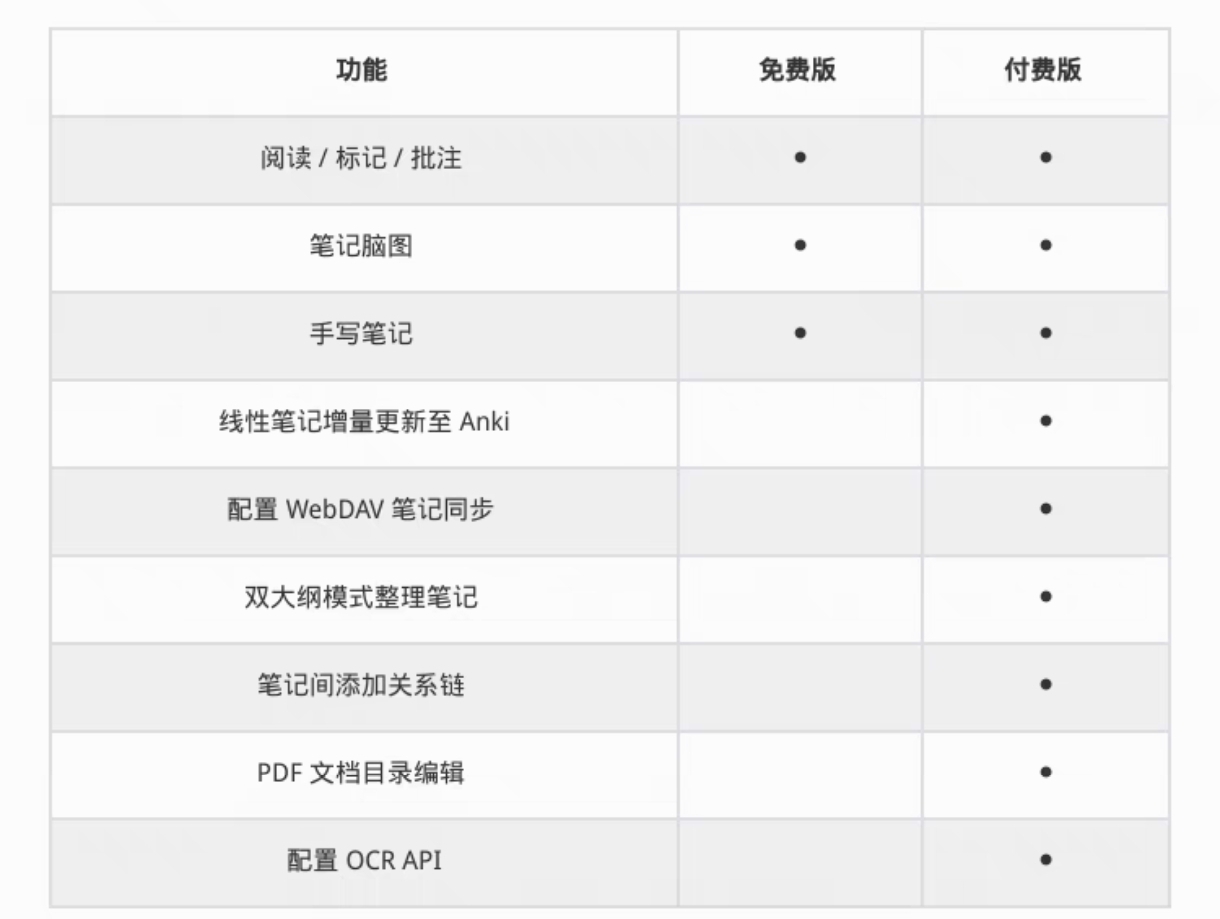
whats the diffirence for usage
Hello, there is not much difference between the two versions, there are some small functional differences. I am a Chinese, if you need the premium version, the two of us can carpool. Although it’s a bit too late to talk about this now, this post is already two years ago. Anyway, nice to meet you.
Thank you so much. This works for translating most of the 2025 version of the app. Even by the end of 2026, BookXNote - with this translation - remains the only software in the world for Windows that can provide a key studying function (provided by MarginNote & Flexcil on Android & Apple). This function is to allow a Pop-Up containing complex content - wherein in a textbook/note PDF, a word/object/position can be highlighted and associated with a Pop-Up containing hand-written ink explanations, images, text, links, etc. The Pop-Up is then closed and remains hidden. Then, during study / revision, one can just click on the highlighted material to pop up the associated comprehensive content.
So, thanks a lot for the translation.