@Adeline Given the lack of response, I have posted a review to the App Store where I have explained my experience with MarginNote 4 and strongly discouraging use of MarginNote 4 due to this bug. If/when this bug is looked at and resolved I will be happy to revise (or delete) my review.
Once again, I would like to ask that you take a serious and urgent look into this issue. As explained above, MarginNote 3 does not have this problem and I suspect it is the PDF rendering engine that lies at the root of the issue.
Hello, I’m truly sorry for being absent from recent reply work due to an acute allergic reaction. Currently, we’re using Apple’s built-in engine. However, with the increase in functions, the rendering effect may not be ideal. At present, there’s also a possibility that markdown-formatted cards will render as blank when minimized. We’ll make every effort to improve this and provide you with a better experience.
@Adeline Thank you responding. I hope the allergic reaction is able to be addressed soon and you recover well. I appreciate your looking into the cause of the rendering issue.
@Danbun Is your comment directed to me or Adeline? If directed to me, I take no offence, and am simply trying to get some response from the MarginNote team. If directed to the MarginNote folks, then I agree … the silence is somewhat deafening (and not doing wonders for my confidence in MarginNote).
Well, yes, you don’t always get a response here. But it improved a lot in the last year. Adeline is very active.
I assume they are still evaluating your bug. No need to bump it every 2 days, I think. Give them some time.
Have you checked the Chinese forum? Sometimes, this gives helpful info.
Hello, my colleague and I have tried to look into this issue more deeply. After our investigation, we still believe it may be caused by insufficient performance on iPad/Mac, which prevents smooth rendering. We have already adjusted the settings to the greatest extent possible to adapt to such situations.
Since there isn’t much handwritten content in your PDF, you could try disabling the “Excerpt Assistance” feature—it may also help speed up the rendering process.
If you have any questions about how to adjust this setting, feel free to let us know. We’re happy to help further!
As mentioned previously, this is on an M1 Max MacBook Pro with 32GB RAM where there are zero issues with other apps (Preview, Adobe Acrobat Reader, etc.) rendering PDFs, and MarginNote 3 works perfectly as well, so I do not agree with the assessment that this is a hardware problem (“insufficient performance”). This is, to my mind at least, clearly a software issue.
As suggested by @Danbun, I am working on my patience and will not repeatedly bump this issue. Please know, though, that I am disappointed with the experience (and, seemingly, waste of money buying MarginNote 4) and will welcome a real fix to this bug.
Thank you for your patience. I’ve been trying to reproduce the issue and push forward with troubleshooting, but without other similar cases, it’s been quite challenging to identify the root cause.
Would you be willing to share some additional information to help us? For example:
Does this issue occur in other study sets as well?
Are there a lot of handwritten notes or excerpts in your study set?
If you try opening two MN windows side by side, with each window rendering a separate PDF, does the issue still happen?
Your input would be incredibly helpful—thank you in advance!
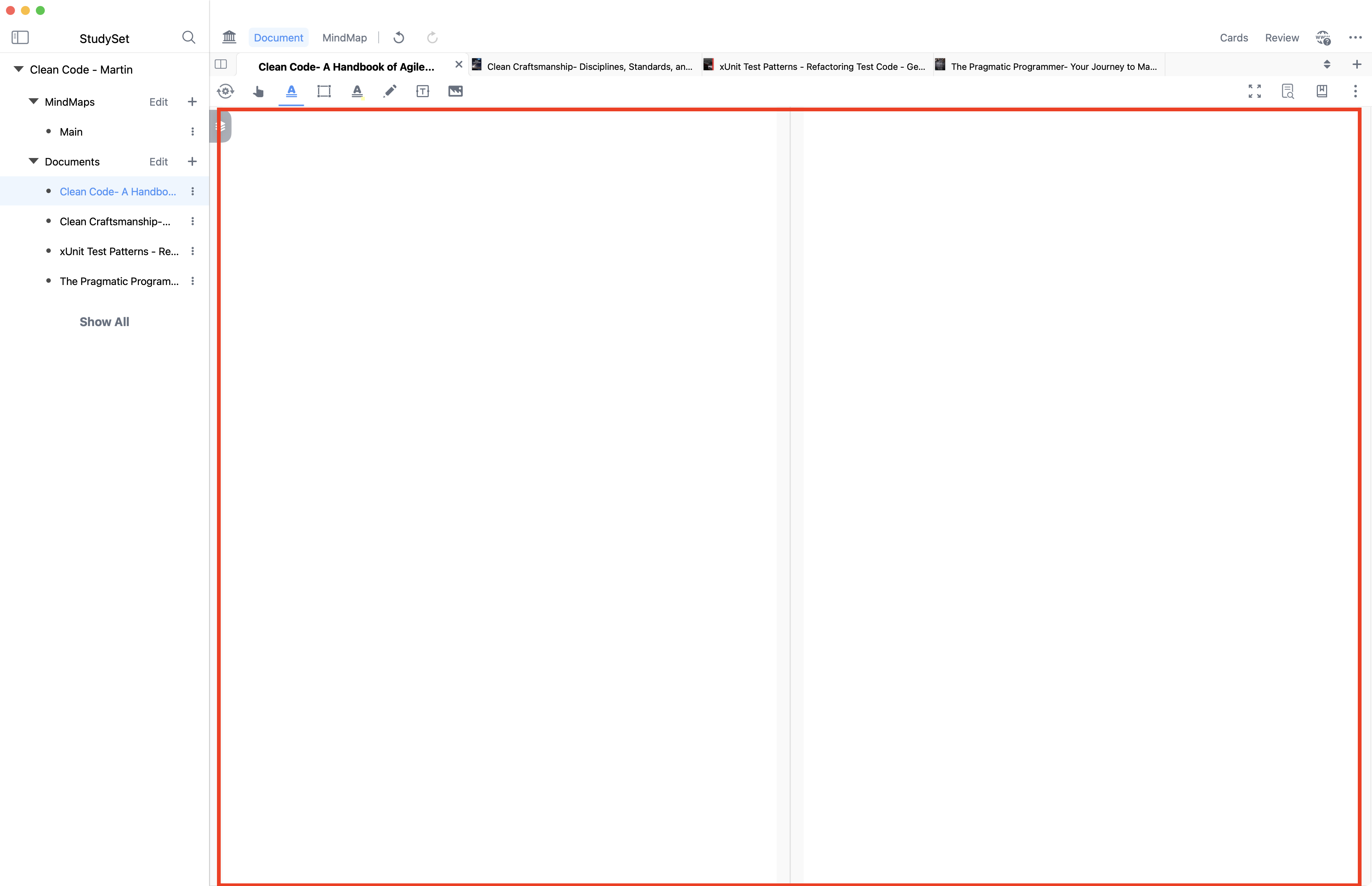
This issue appears consistently—irrespective of the study set selected, whether I have the mind map shown or not, and whether documents are part of a study set or not. I have attached another video to show the problem. As you’ll see in the video, if the document is made “small enough” then pages render fine, but the moment the document pane is made larger the problems start appearing.
Interestingly, one can see that the pages actually do render (the “flashing before blank” shows the rendered page) but they go blank almost instantly. This seems to be more prevalent with pages that have existing annotations previously added with Preview—though this is not always the case … in some cases perfectly benign and simple pages (without any “complexity” … diagrams, etc.) do the “flashing thing”.
I’m sorry, but I think I need your study set to reproduce this bug (as none of the study set data we currently have exhibits this issue). Could you please send a backup of this study set to me?
Hi @Adeline, I have experimented with multiple different configurations and it is fairly easy to reproduce… MN4 works fine on the MacBook’s main display (16”) but exhibits the bug when on a 27” Apple Studio Display. Have you tested on a large (27” Studio Display)?
The fact that it works fine on the MacBook’s built-in display but fails on the 27" Studio Display strongly points to a scaling or GPU rendering bug tied to external monitor resolution and DPI.
Here’s what I recommend next:
Why This Happens
The Studio Display runs at a high resolution (5K) with macOS scaling.
MarginNote’s PDF rendering engine likely miscalculates viewport dimensions when the window height exceeds a certain threshold on scaled displays.
This is consistent with the “pages disappear when window height > ~70%” observation.
Advanced Workarounds
Change Display Scaling
Go to System Settings → Displays → Resolution → Scaled.
Try a different scaling option (e.g., “More Space” or “Default”).
This often changes how apps calculate rendering surfaces.
Force Low Resolution Mode
Right-click MarginNote → Get Info → Enable Open in Low Resolution.
This forces the app to render at 1x instead of Retina scaling.
Test with Different External Monitor
If you have access to another monitor (non-5K), test it.
If the issue disappears, it’s definitely tied to Retina scaling on external displays.
Disable Metal Acceleration (if possible)
Some apps allow disabling GPU acceleration via hidden flags or defaults write commands.
I can help you check if MarginNote has such a flag.
Report DPI & Scaling Info
When reporting to MarginNote, include:
Studio Display resolution and scaling setting.
macOS version and GPU details.
Screenshots showing the issue at different window sizes.
 . I will work on my patience.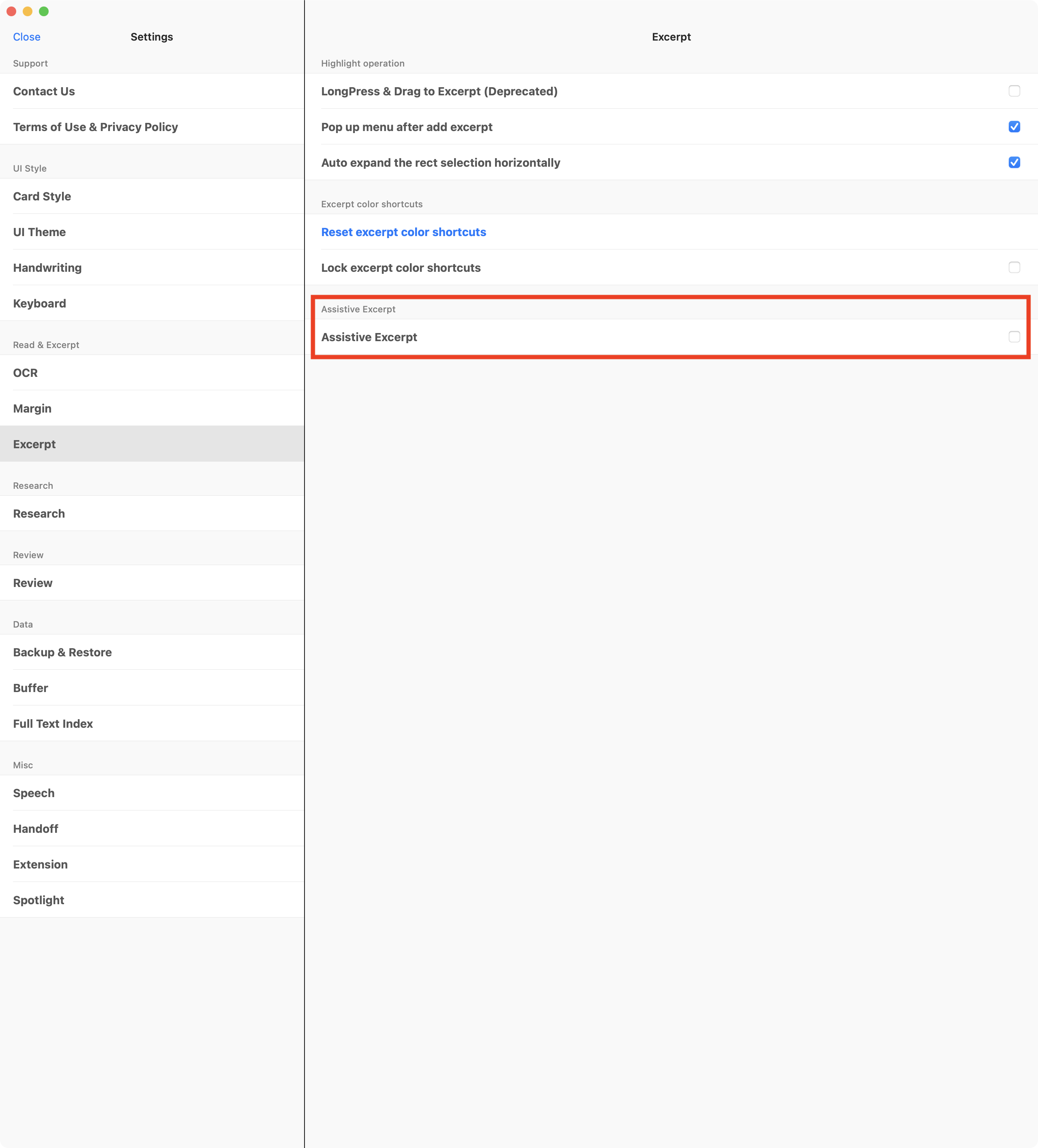
 and will not repeatedly bump this issue. Please know, though, that I am disappointed with the experience (and, seemingly, waste of money buying MarginNote 4) and will welcome a real fix to this bug.
 Why This Happens