this bug has been around for a very long time, therefore this ticket deserves attention: When i open a pdf (especially a newly imported pd) from a folder, start marking etc. then close the app or go to home page and reopen the folder the pdf file is not there, it is vanished. only two solutions i figured, reimport the pdf, the pdf then shows up with the previous annotations, or search for the pdf title in the search bar of the folder. The pdf file shows up, but after reading/annotating and returning to the folder it’s no there, vanished again. It’s frustrating to have to reimport the pdfs several times for it to finally stick in the folder. please review asap.thanks
Hello
Check your iCloud Cloud Drive to see if “Keep Downloaded” is not turned on.
Additionally, if you encounter this issue, it’s possible that your local space has insufficient remaining capacity.
Kind Regards,
Support Team
Hello,
i don’t think it is a storage issue. I cannot find the keep downloaded option in my settings: these are my settings.
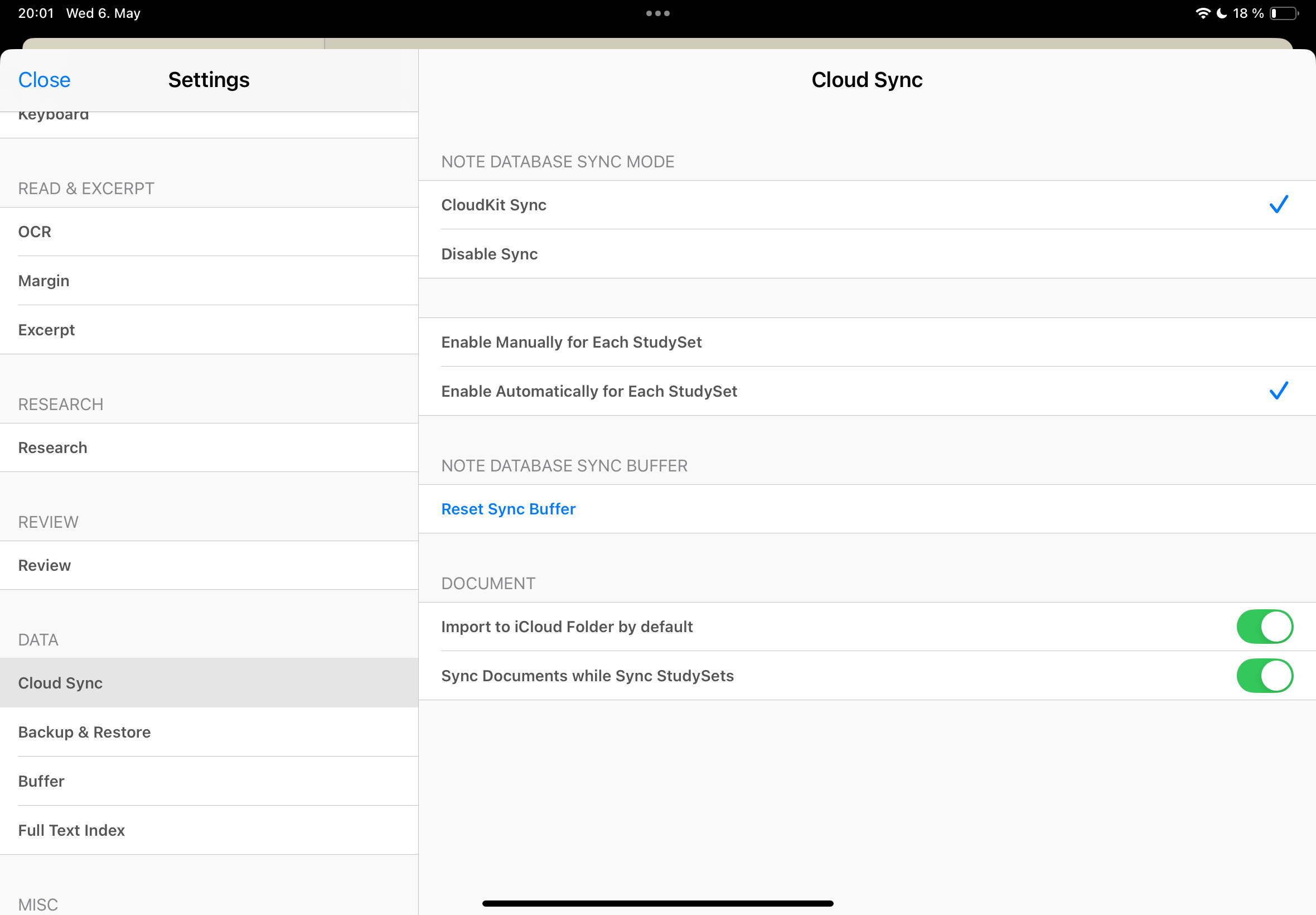
Also why do these files have this symbol while the others don’t?
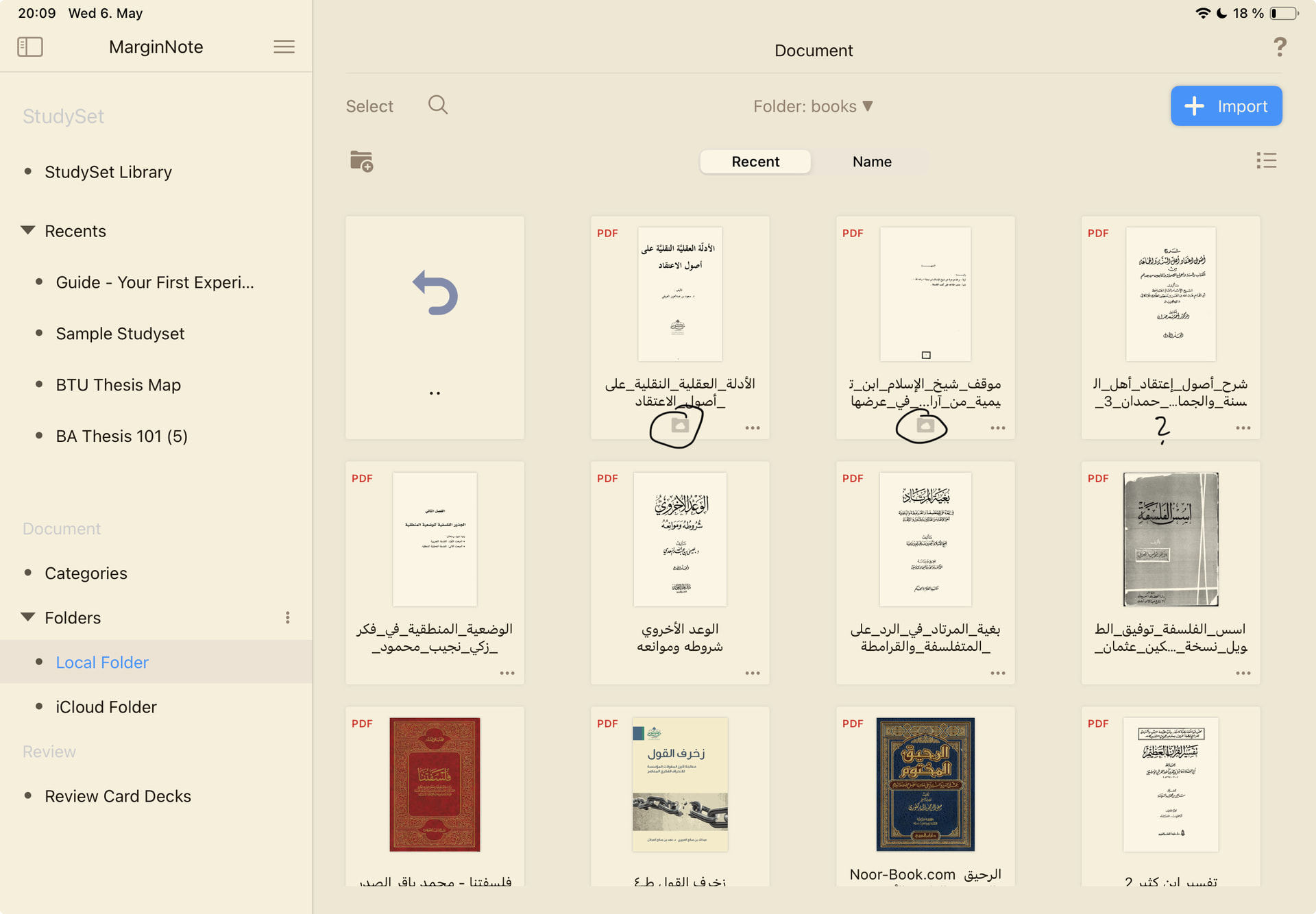
lastly; why are some files imported into the local folder and in the icloud folder at the same time? and can i make it that all files are on the icloud sync only ? the icloud has more than enough storage space.
Hello
can turn on “Default Import to iCloud Folder” in the software settings.
Regarding the “Keep Download” feature, the operating steps are as follows:
- Open the system’s “Files” App
- Find the files in iCloud Cloud Drive
- Long press the file to see the relevant options.
You can search online for the specific usage of this feature, which is a system feature of iOS.
Kind Regards,
Support Team
1 Like