Hi, I’ve been using MarginNote 4 for more than one year and it’s my most used app! Happy MAX user.
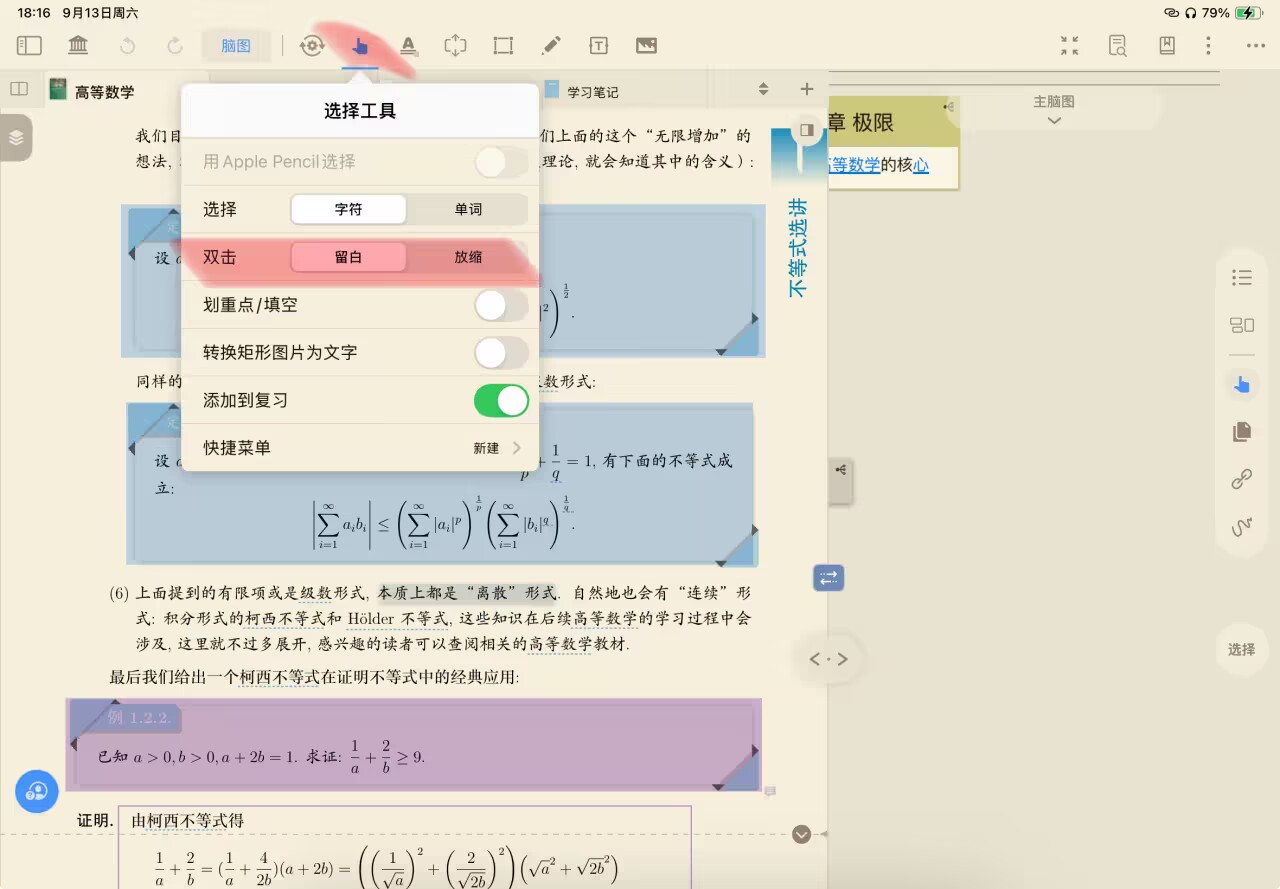
I have one problem recently: before I used to tap my finger twice on iPad and it would immediately perform the “extend” feature and make a new space for comments.
But now, when I tap my finger twice, it zooms into the document.
Can you please help me get the old extend feature back? It’s essential to be quick, and I can’t find anything in settings to change it back.
No, I am talking about MarginNote 4 from just 2-3 months ago, when I double tapped with my finger inside a PDF, it would open an “extend” space right where I tapped. This would work even when I was using Apple Pencil with the pen tool selected in the toolbar above