To import PDF and ePub documents:
-
Import files from other apps using the Share menu item (e.g. documents):
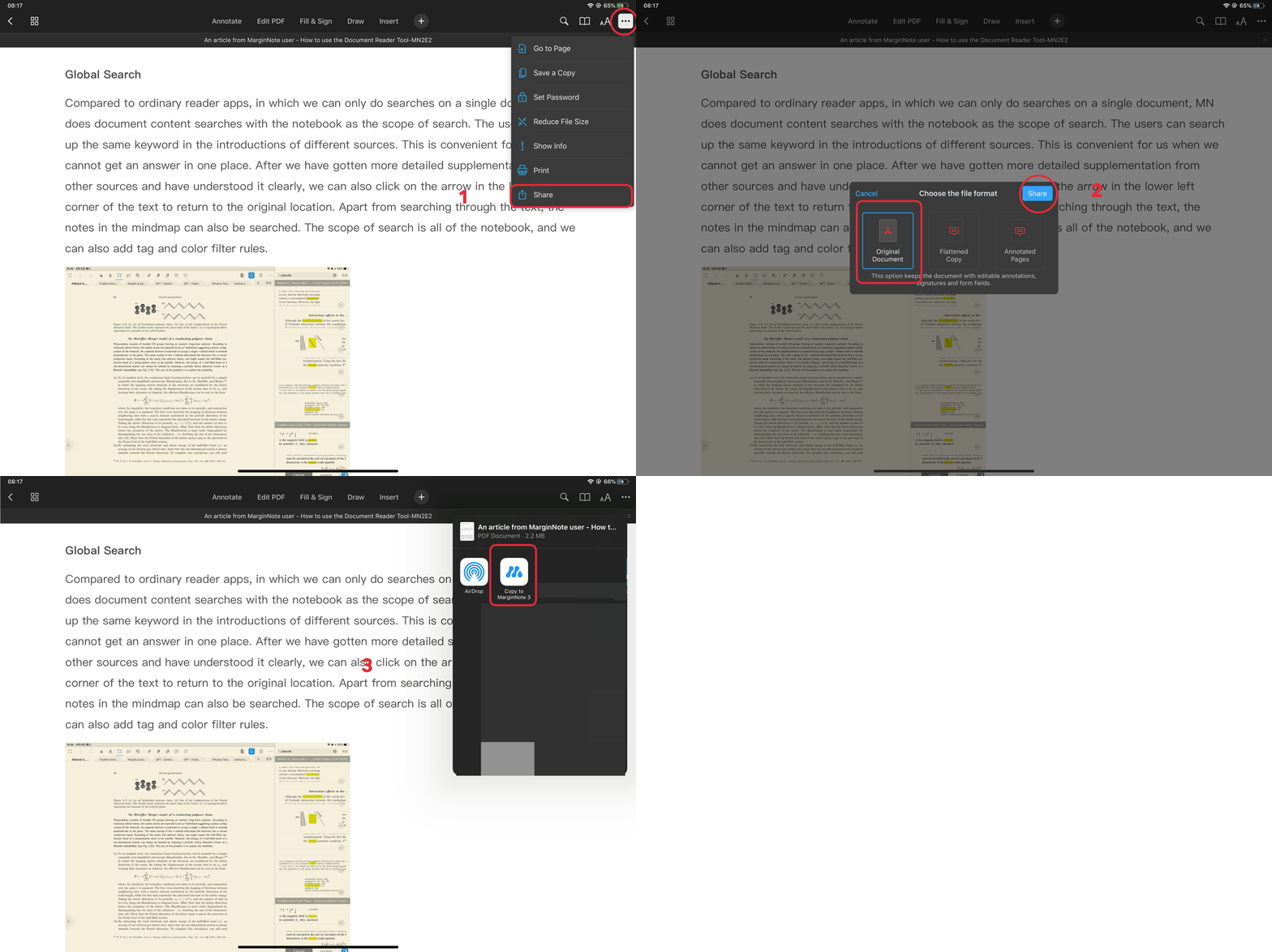
-
To add a document from a file → select the document

-
Import via Wi-Fi link → follow the instructions
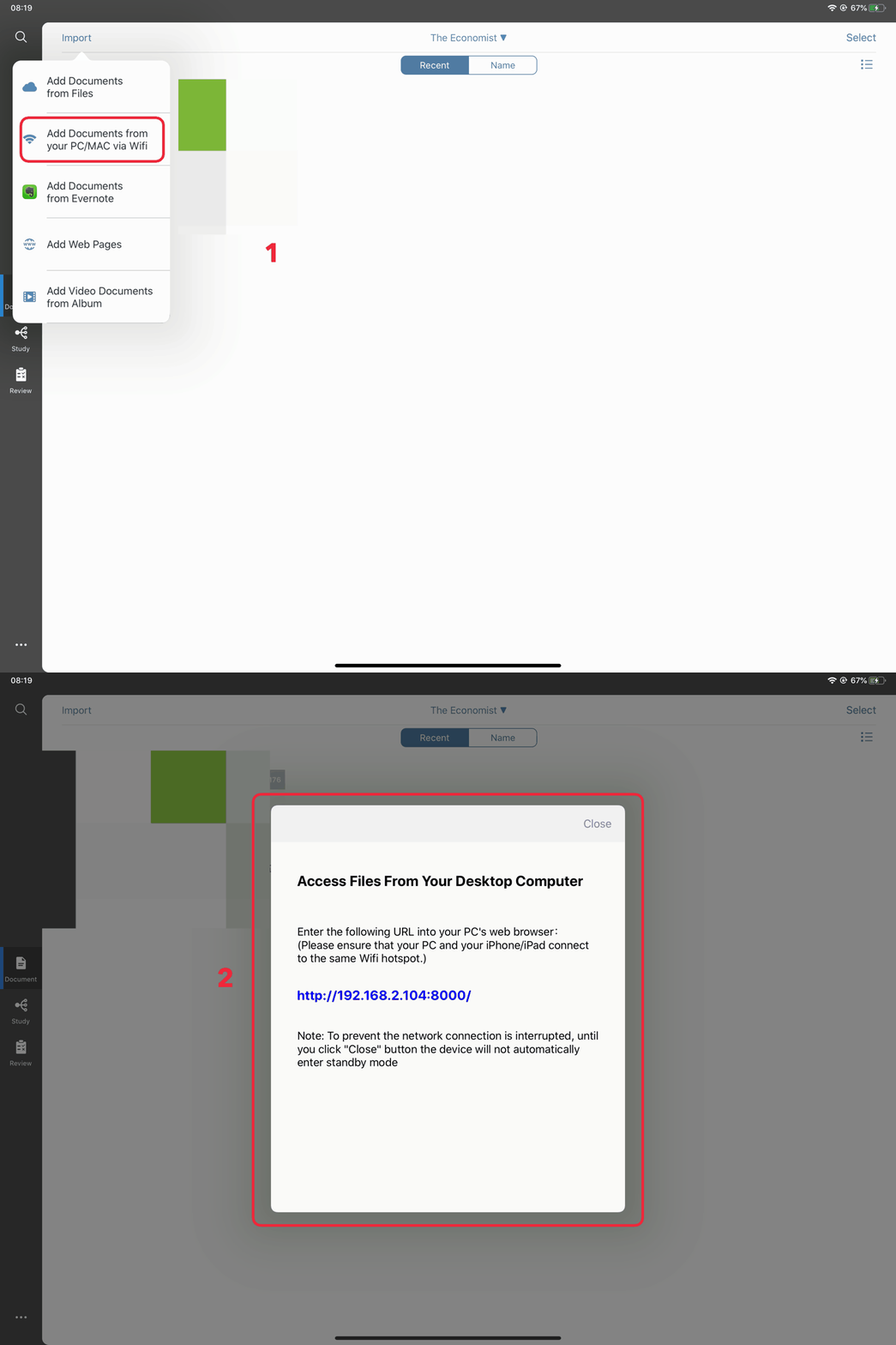
-
Import from Evernote → select notes → import EPUB format
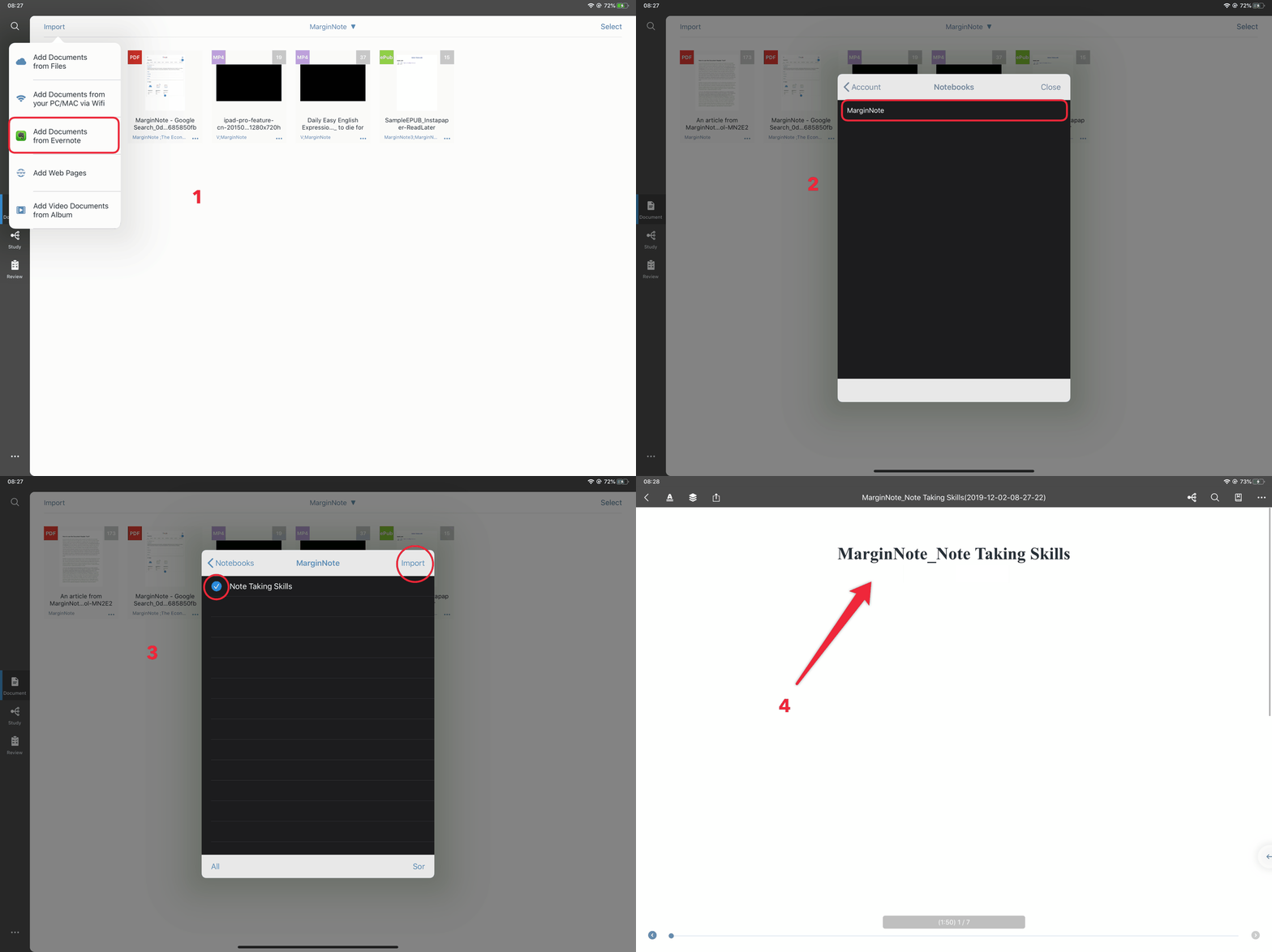
-
-To add Web page → enter the web address you want to import→ click the download icon at the bottom center of the interface → import PDF format
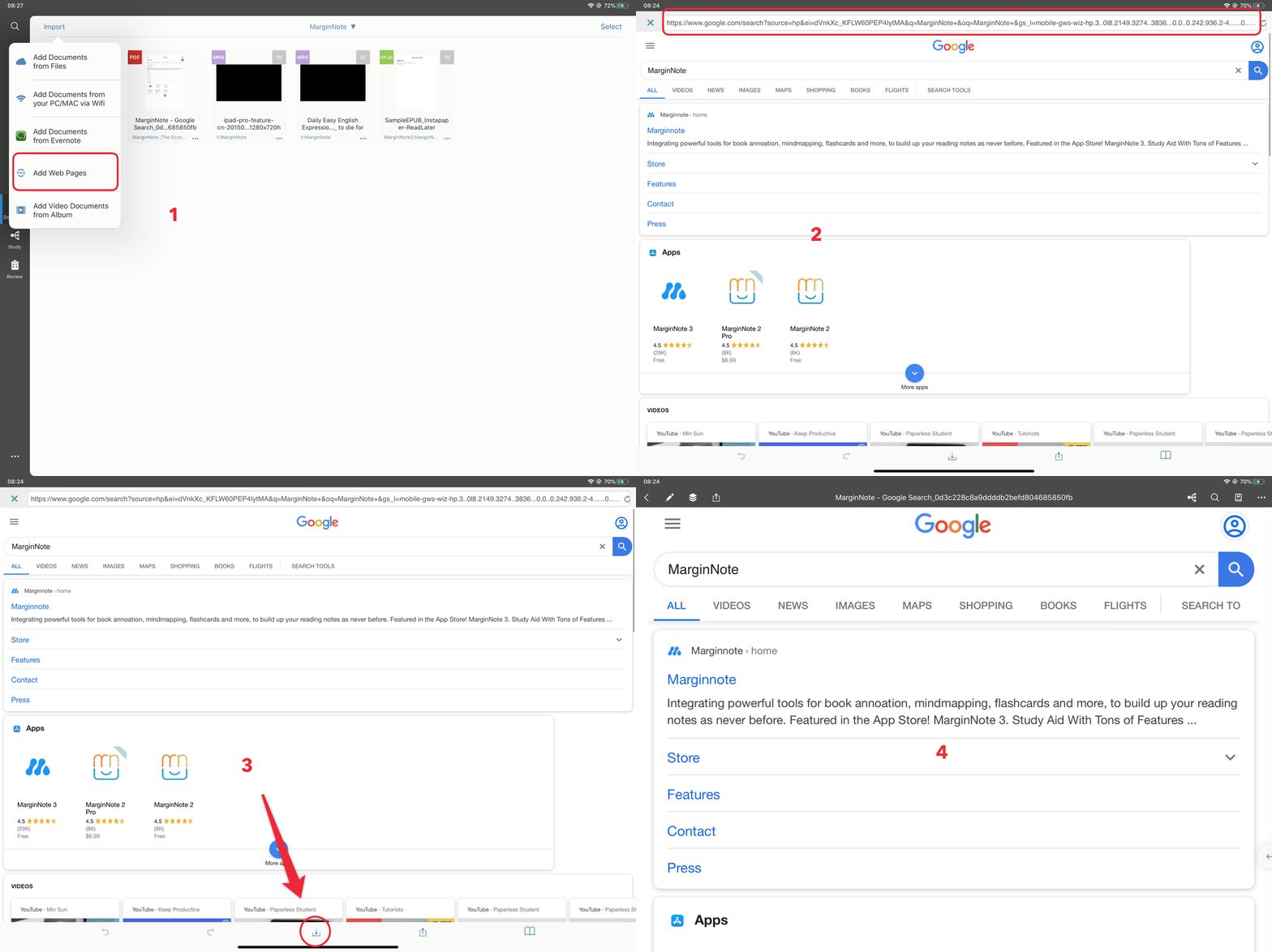
Operation process
-
Drag and drop into MarginNote3 from other apps that support document drag function (take documents as an example)
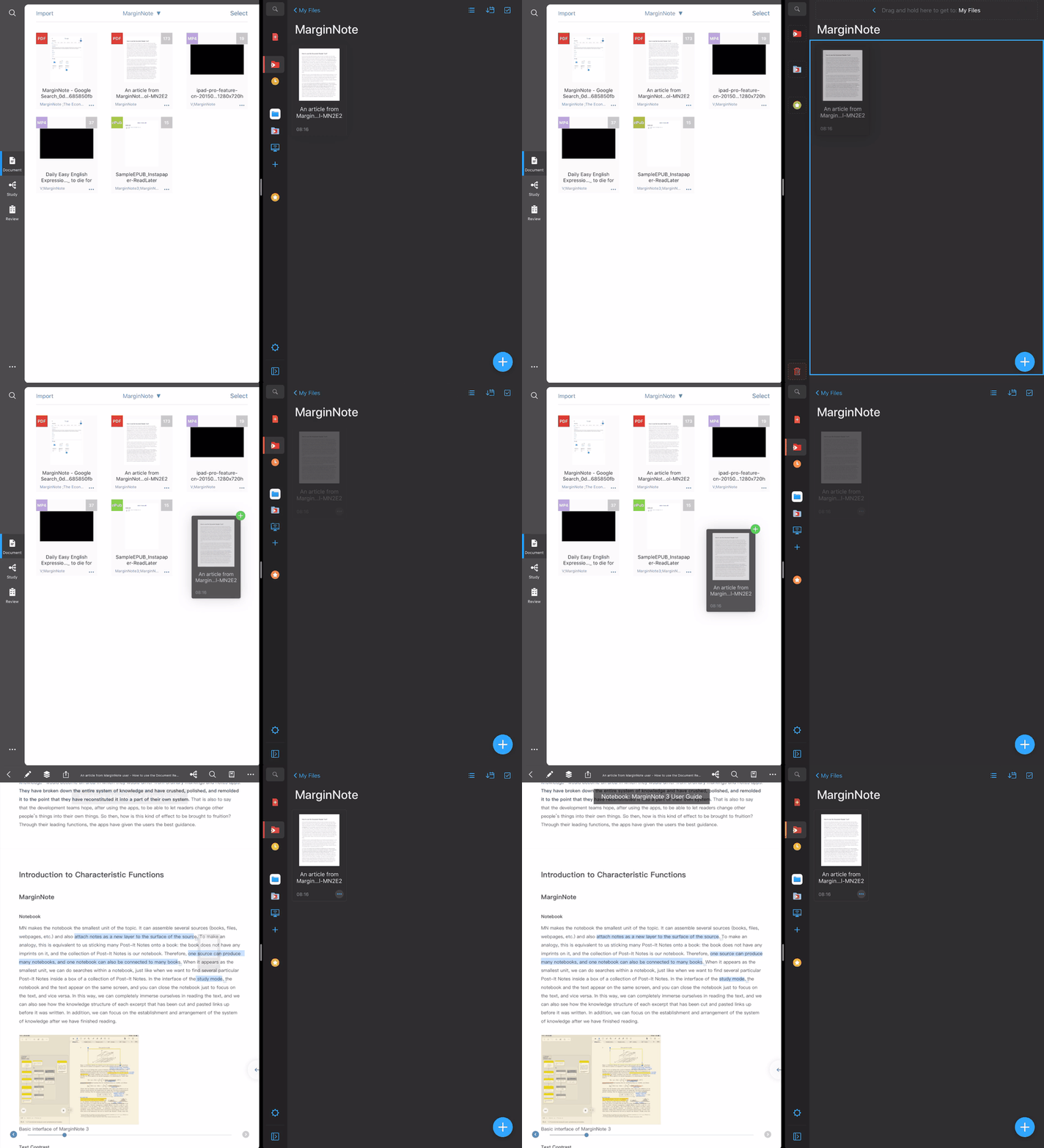
Operation process
Import video document (MP4, m4v, mov):
MP4 does not belong to encoding format. If special encoding is used, Mn3 may not support it. Mn supports importing video documents that most Apple official players can open. (Imported video formats that are not supported will be grayed out)
- Like PDF, ePub and other documents, they can be shared to MarginNote from other apps, added from files and transmitted via Wi-Fi
- To add video document from album → select document
Import other format documents (such as Mind map):
- Like PDF, ePub and other documents, they can be shared to marginnote from other apps, added from files and transmitted via Wi-Fi