I just upgraded to the latest version. And one of the most useful feature to me is the immersive mode. I love that I can hide distracting tools that I don’t use while reading while maximizing the space for more content.
 My caveat however:
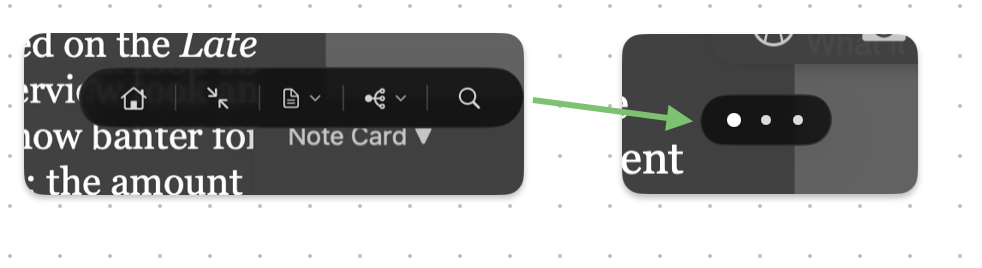
 The floating toolbar at the top covers content and breaks reading flow.
Which defeats the purpose of the immersive mode. In standard mode, although all toolbars are displayed, they don’t get in the way of the content.
So my question:
 Is there a way to collapse the toolbar at the top like how the bottom floating toolbar behaves?
Can you set idle opacity of the toolbar and set it to automatically collapse when not being used?
Is there an option to completely hide the top and bottom floating toolbar with a keyboard toggle?
 It would be great if users can toggle and remove all toolbars for a full immersive mode.
Thanks.