Intelligent Refresh, Comprehensive Upgrade: MarginNote AI Is Now Available
More Than Answers – Now with “Execution”: MarginNote AI Expands to 15 Core Features, Breaking Down PDF, Mind Map, and Review Scenarios into Actionable “Micro-Tasks” to Supercharge Your Learning
Highlights at a Glance:
- Document: Generate an AI Table of Contents for entire PDFs, ask questions about the entire document, and create excerpts automatically.
- Mind Map: Instantly outline knowledge structures, create sub-mind maps, and rearrange frameworks.
- Cards: Rewrite titles, create cloze deletions, polish multiple cards in bulk, and convert handwriting/formulas to Markdown.
Detailed Updates:
I. Enhanced AI Core Capabilities & Smart Scenarios
- Integration of Advanced Large Language Models: Incorporates multiple leading models, significantly boosting capabilities in intelligent Q&A, content comprehension, contextual dialogue, and learning assistance.
- Deep Integration of AI Q&A and Multi-turn Dialogue:
- Floating
AskWindow: Quickly ask questions from within documents or mind maps. - Side Panel
Chat: Supports conversation history, content logging, and in-depth follow-up questions. - Create cards directly from AI responses or as reference cards; reference cards and AI chats support bidirectional sync and backlinking.
- Unified entry point for
AskandChat, allowing flexible switching between modes. Asksupports history navigation (back/forward) and can be sent toChatwith one click; both are interconnected.
- Floating
- Prompt List & Quick Modules: Save and manage frequently used prompts.
- Rich preset prompt modules (tools, rules, tone, goals, etc.) for reuse and nesting.
- View descriptions and full prompt text for modules.
- AI Automatic Context Understanding: Advanced algorithms automatically sense the context of the current document/mind map, delivering more precise answers and aggregated content.
- Multimodal Content Support: Image and text for integrated multimodal learning.
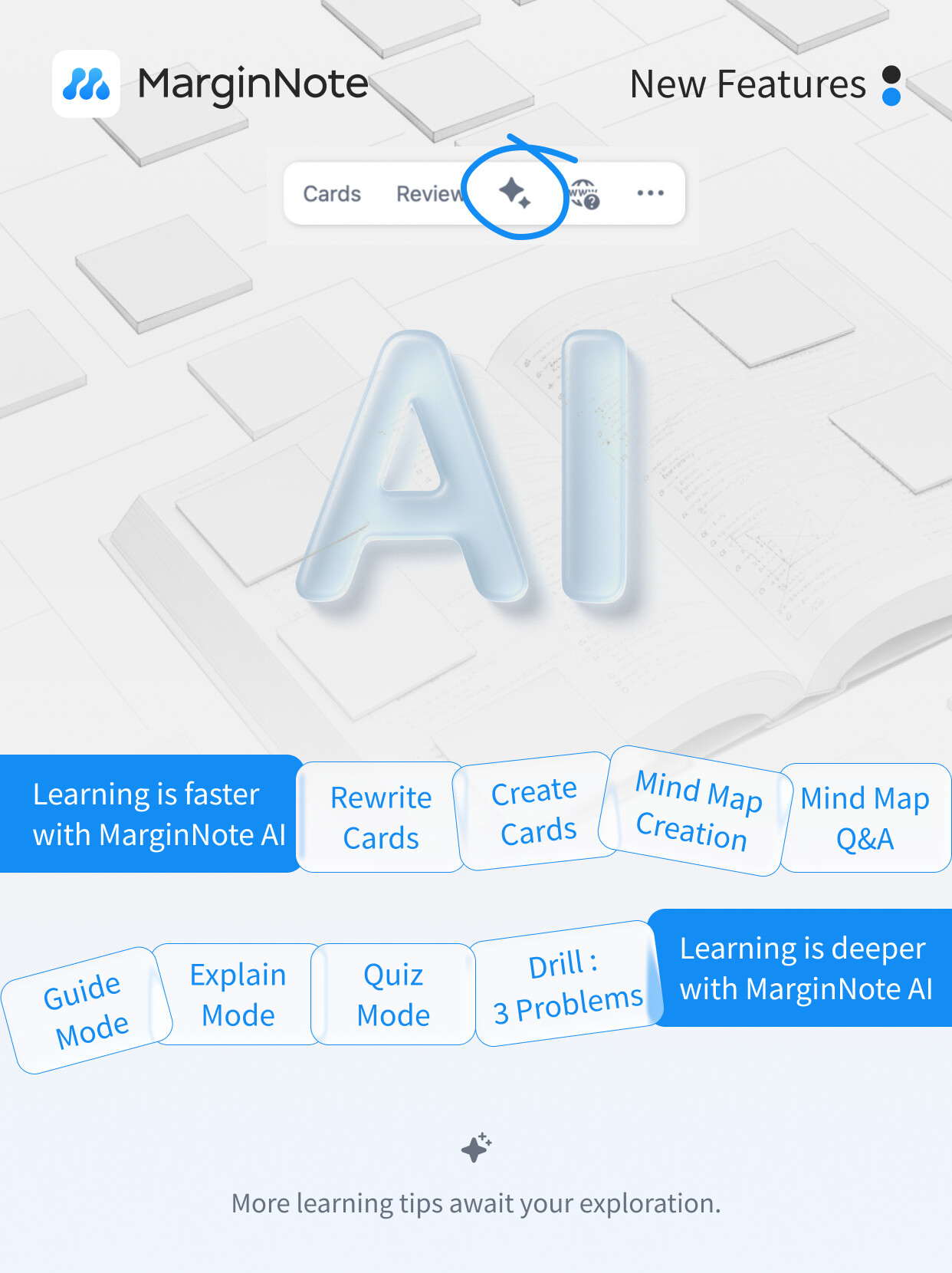
- Diversified Learning Modes: New
Guide,Explain, andQuizmodes actively guide understanding, auto-generate key explanations, and create self-tests to improve knowledge absorption. - AI Points System Introduced: Purchase and manage AI Points to meet diverse, advanced user needs.
II. AI-Powered Content Structuring & Knowledge Organization
- AI Smart PDF Table of Contents Generation: Instantly generate a high-quality AI TOC for documents. Switch seamlessly between the AI TOC and the original document TOC without overwriting either, enhancing navigation for large documents.
- TOC-Structure-Driven AI Dialogue: Interact with AI based on the document’s TOC structure, enabling deeper understanding of content and structure for more professional Q&A.
- Handwriting to Markdown: Use the lasso tool to select handwritten content, and AI converts it to Markdown with one click, including mathematical formula recognition, for efficient knowledge digitization.
- Batch Card AI Analysis & Processing: Select multiple cards for batch AI processing, improving efficiency for high-frequency operations.
III. Comprehensive Enhancement of AI Tools & Mind Map Operations
- Significantly Expanded AI Tool Capabilities:
- Card Operations: AI can create/modify/delete text & excerpt cards; get/set card content & metadata (color, tags, hierarchy, etc.).
- Mind Map Operations: AI can collapse/expand branches, collapse sub-mind maps, set branch styles, and perform batch card copying, referencing, linking, merging, and hierarchy adjustment.
- Content Acquisition: Get study set structure, document TOC, specific PDF page content, generate smart summaries, perform cross-platform web searches, and fetch web page content.
- Global Database Search: Search notes across all your data.
- Safety Mechanism: All AI operations support “Accept/Reject” confirmation, ensuring safety and flexibility.
- Full Mermaid Diagram Support in Markdown: Insert Mermaid flowcharts directly into Markdown cards for clearer structural expression.
IV. Stability & Bug Fixes
- Fixed an issue where the image picker/selection interface responded too slowly under OS 26.
- Fixed an issue where the camera function could not be canceled under OS 26.
- Fixed a critical issue where Undo operations could cause data loss or corruption.
- Fixed a recurring crash issue caused by rendering mind map thumbnails on the home screen.
- Optimized memory usage related to Markdown cards.
- Various other performance and stability improvements.
Learn more about MarginNote AI features: In-app ? → Manual
AI Points Details:
- All Existing Paid Users: Update to version 4.2.0 or later to receive 300 Permanent Points automatically—no extra steps needed—to try AI features for free.
- Max User Exclusive: Update to version 4.2.0 or later to enjoy a Monthly Quota of 300 Points, reset automatically at the beginning of each month.
- Max Lifetime Users: Receive 300 points monthly for three consecutive years starting from the first use of any AI feature.
- Max Subscription Users: Receive 300 points monthly for the duration of the active subscription.
- (Check your points balance: In-app
Settings→AI Points)
Version 4.2.0 focuses on upgrading AI capabilities and the entire knowledge workflow. We welcome you to try it out and share your feedback to help make MarginNote AI your ultimate learning assistant!
- MarginNote International Community: https://forum.marginnote.com/
- Customer Support Email: service@marginnote.com
1 Like
That’s great, been waiting for this update. Could you please make a video demo for all the features?
2 Likes
I’ve read about the new generative AI update and I find the concept interesting, however I have some questions:
-
Privacy
- Who operates the AI engine behind these features? Is it developed internally?
- Are user prompts, annotations, or uploaded PDFs used to train or improve AI models?
- Are input and output data encrypted during transmission?
- Will this AI engine work with Apple Silicon local AI model (more privacy)?
-
Feature Control and UI
-
Is it possible to completely disable the AI button and functions for users who prefer the classic experience?
-
The recent update has changed and introduced some UI elements (like the AI button, both three vertical and three horizontal dots in mindmap view + document), also the UI has always been somewhat cluttered… Is there a way to have a customizable UI, allowing users to disable unused tools/features for a cleaner experience?
-
1 Like
I have been looking forward to this update, this looks so great. Thank you so much, downloading it from the App store right now 
2 Likes
Thank you so much for the update. However, it would be great if there were an updated feature guide video to help users engage more actively with the features and share them with others.
2 Likes
Also the font of the Ai text is too small, hope we can increase the font size in the upcoming updates. I have a 13inch iPad and the font size is too small for it.
1 Like
Yes, we’re currently working on it! Unlike the previous version of the user manual, this new one will also include more interactive guidance and scenario-based examples to make it more user-friendly for beginners. As a result, the editing process is quite complex, but we want to assure you that we’re putting in our best effort to get it done.
2 Likes
I’m interested in this feature - how do I get it on macOS? - I’m currently on 4.1.23 - Premium Max and IOS same version. I purchase both directly from your website some years ago.
Thank you a lot for the update.
- Could you please explain “Full Mermaid Diagram Support in Markdown: Insert Mermaid flowcharts directly into Markdown cards for clearer structural expression.”? I have never heard of this feature before.
- What is the performance of Marginnote AI like, compared to GPT-5 or Gemini 2.5 Pro?
1. What is Mermaid?
Mermaid is a text-based diagramming tool. Instead of dragging shapes and lines with your mouse to draw diagrams, you describe the structure of the diagram using simple text syntax—just like writing code—and it will automatically generate the diagram for you.
2. How does it work in MarginNote?
MarginNote allows you to directly insert Mermaid syntax into Markdown cards. When you save the card, MarginNote will automatically render this text syntax into a clear diagram.
Question 2: Comparison of MarginNote AI’s Performance with GPT-4o / Gemini 2.5 Pro
MarginNote AI is not an independent general-purpose large model on par with GPT-4o or Gemini 2.5 Pro. Instead, it is an “intelligent assistant” that integrates the capabilities of these AI engines and is specifically optimized for learning scenarios.
1 Like
Please forget about Ai features and fix the sync issues happening between Mac, iPad and iPhone apps. I do not want Ai features, I just want to use the app in a stable way. The app is becoming almost unreliable because of the synchronising issues.