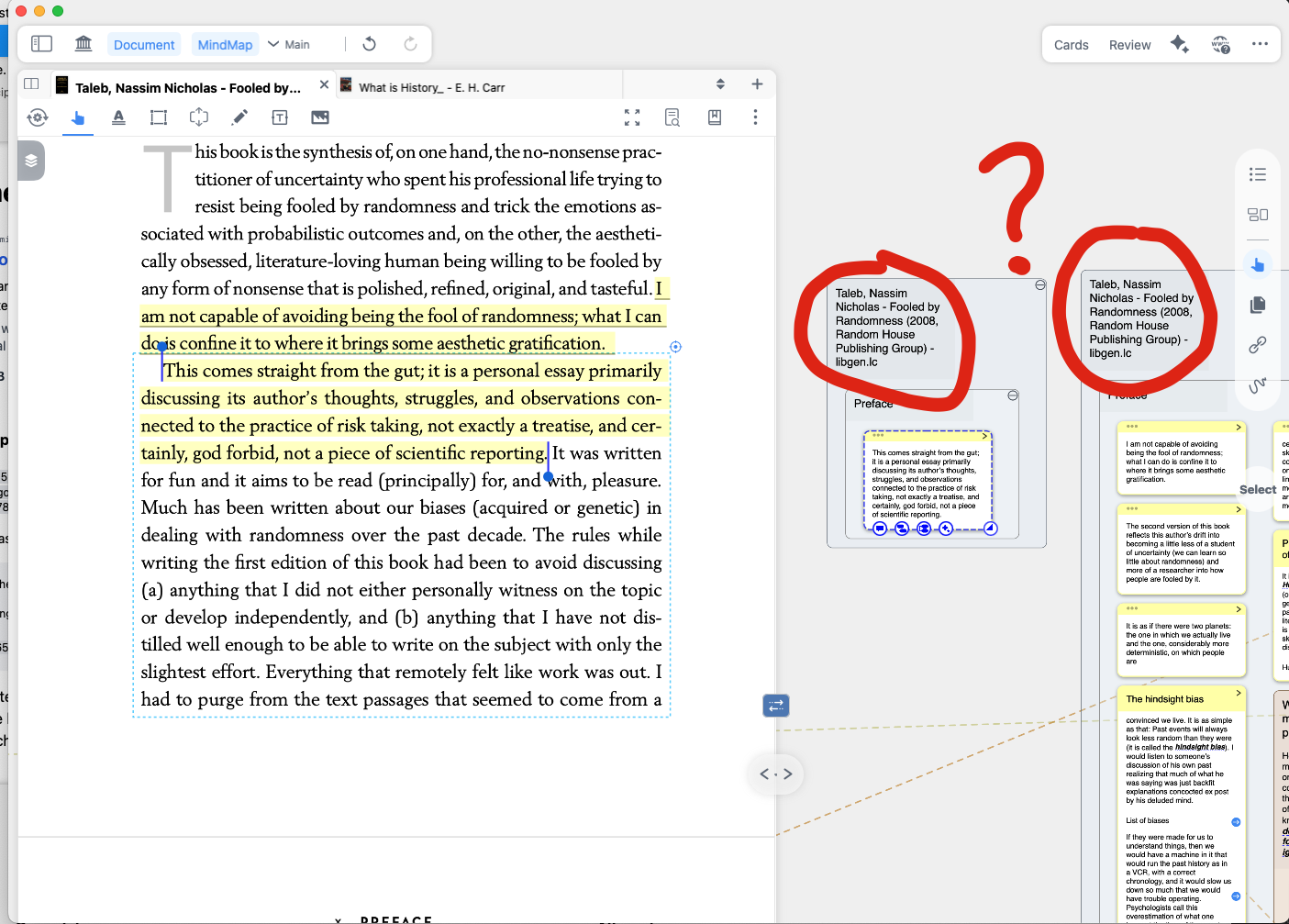
I have a PDF that originally generated a large set of cards in my mindmap. After not using the document for a long time, I tried creating new cards from fresh highlights. Instead of being added to the existing mindmap, the new cards appear in a separate mindmap that has the same title as the original. Aside from the name, this new mindmap is identical, but new cards no longer attach to the original structure. Rebinding appears to have no effect, and the rebind option doesn’t show up under Manage.
How can I make new cards appear in the existing mindmap instead of creating a new one?
I was hoping to continue using the “Grouped (By Table of Contents)” option, but using the existing mindmap. Using the “Last Position” option does not create the cards in the exact position related to the table of contents and unfortunately does not precisely achieve what I would like.
Hi @mono , do you know if it’s possible to somehow manually link a PDF with an existing mindmap? I think if this was possible it would solve my problem. Thanks.
Basically, I take the PDF table of contents and put it straight into the mind map program. If the PDF doesn’t have a table of contents, I just let the AI generate one for me. Then I move that into MarginNote4’s mind map section. After that, I set it up to automatically create note cards that follow the document’s original structure. This way everything stays organized perfectly!
Thanks for your reply. I just don’t understand why this bifurcation happens. What’s the root cause?
Another problem caused by this decoupling of documents with their mindmaps is that the attached notebook feature also gets decoupled. So now, when I try to have a notebook for my document, it points somewhere else. It’s quite confusing and frustrating. It also defeats your excellent integration between PDF, mindmap, and notebook.
Please fix this, I’m sure it must be a consequence of issues with the syncing across devices. Why is it so hard to do properly?
@mono any thoughts on this? Any chance this issue can be escalated to the developing team? It seems to be it’s quite a big issue for people who have long-lasting MindMaps they want to continue updating.
Also, it’s possible some of the newer features broke previous features, since this is not something that happened before, and I’ve been using MarginNote for many years now.