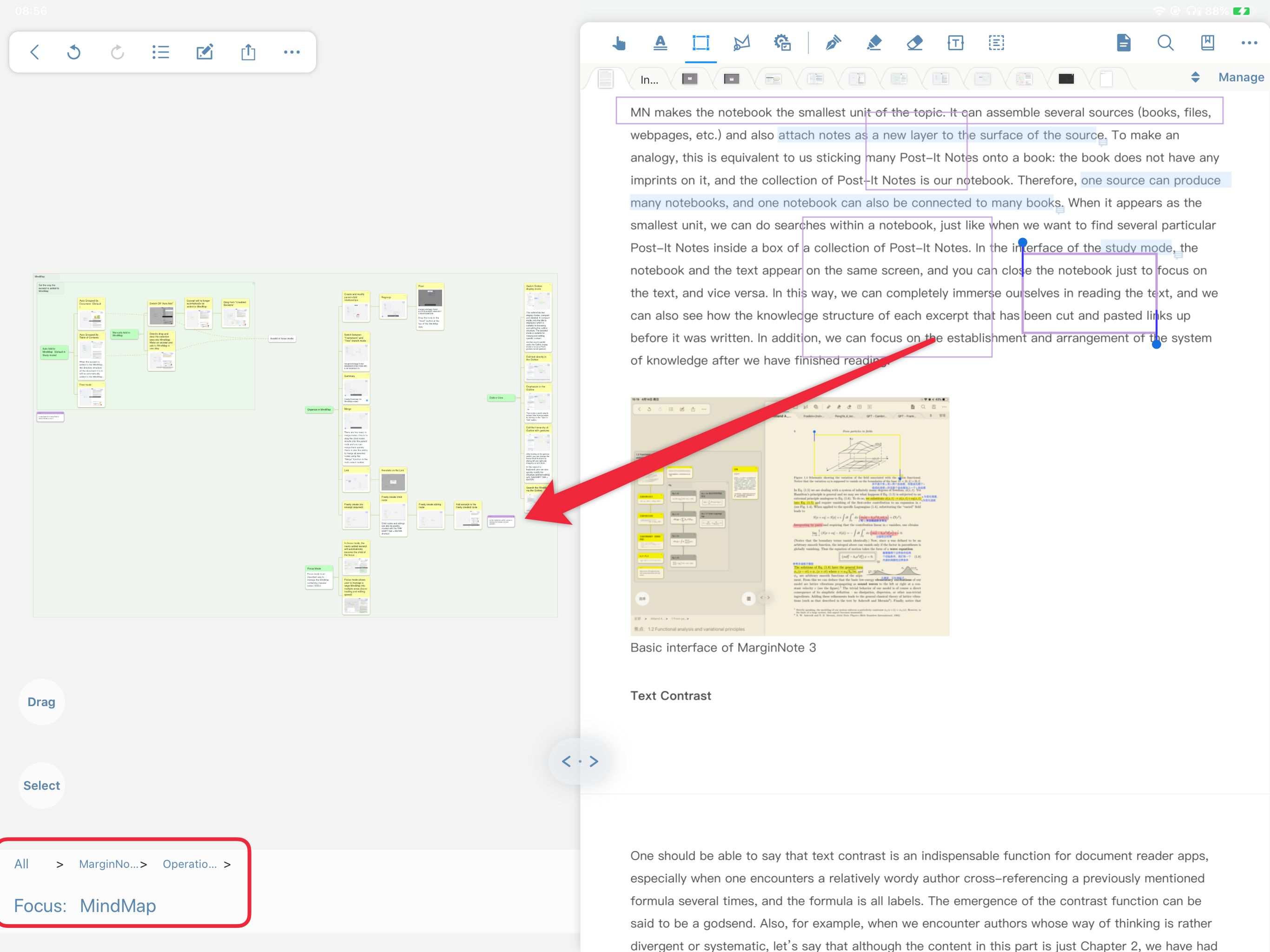
Adding cards to a target position
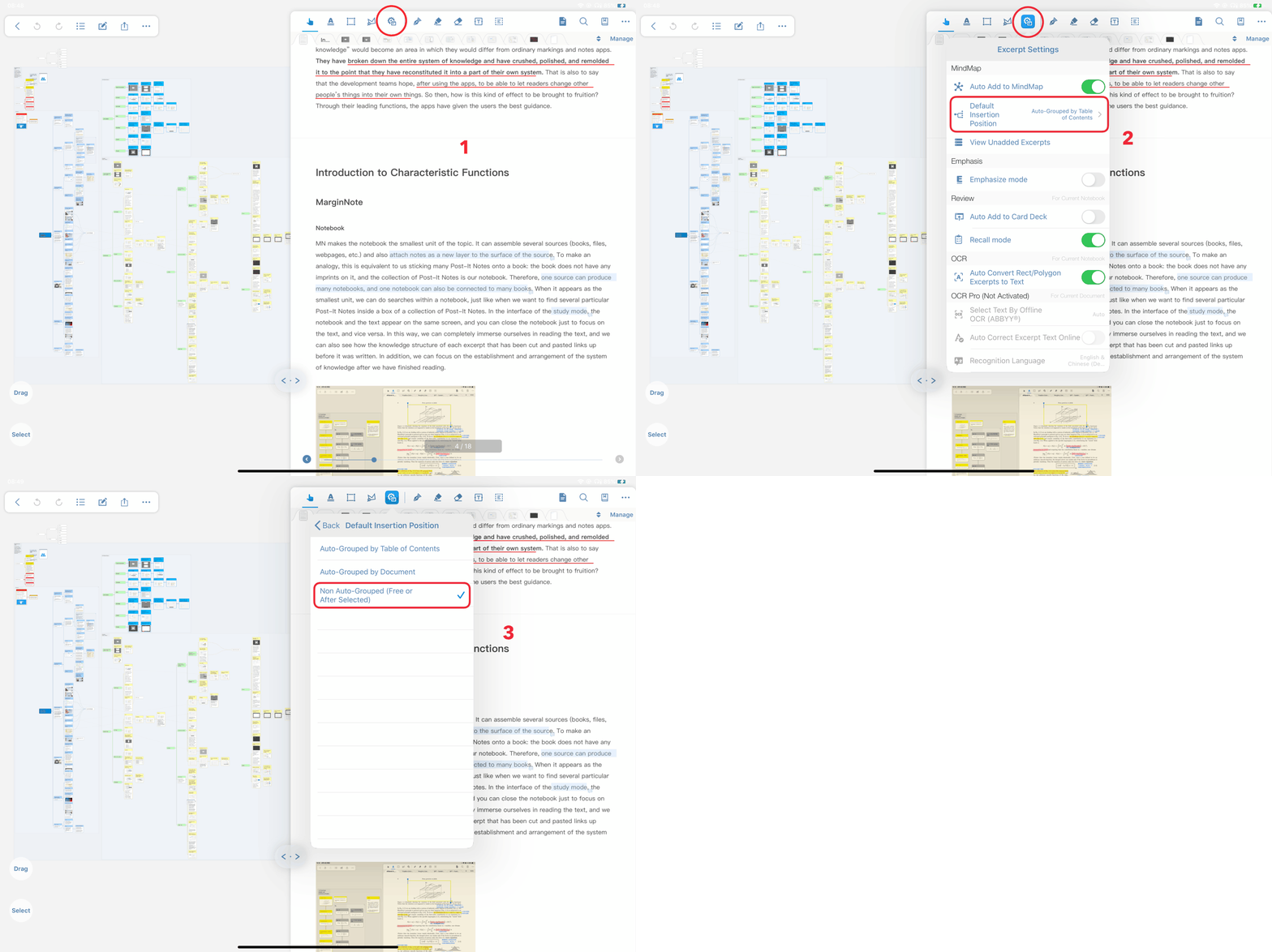
In the studying module → enter the notebook → click the “ ” icon in the toolbar at the top of the document interface → click the “default insertion position” option in the pop-up interface → select "Non Auto-Grouped (Free or After Selected ) "
 Cannot enter settings in focus mode and select insert position
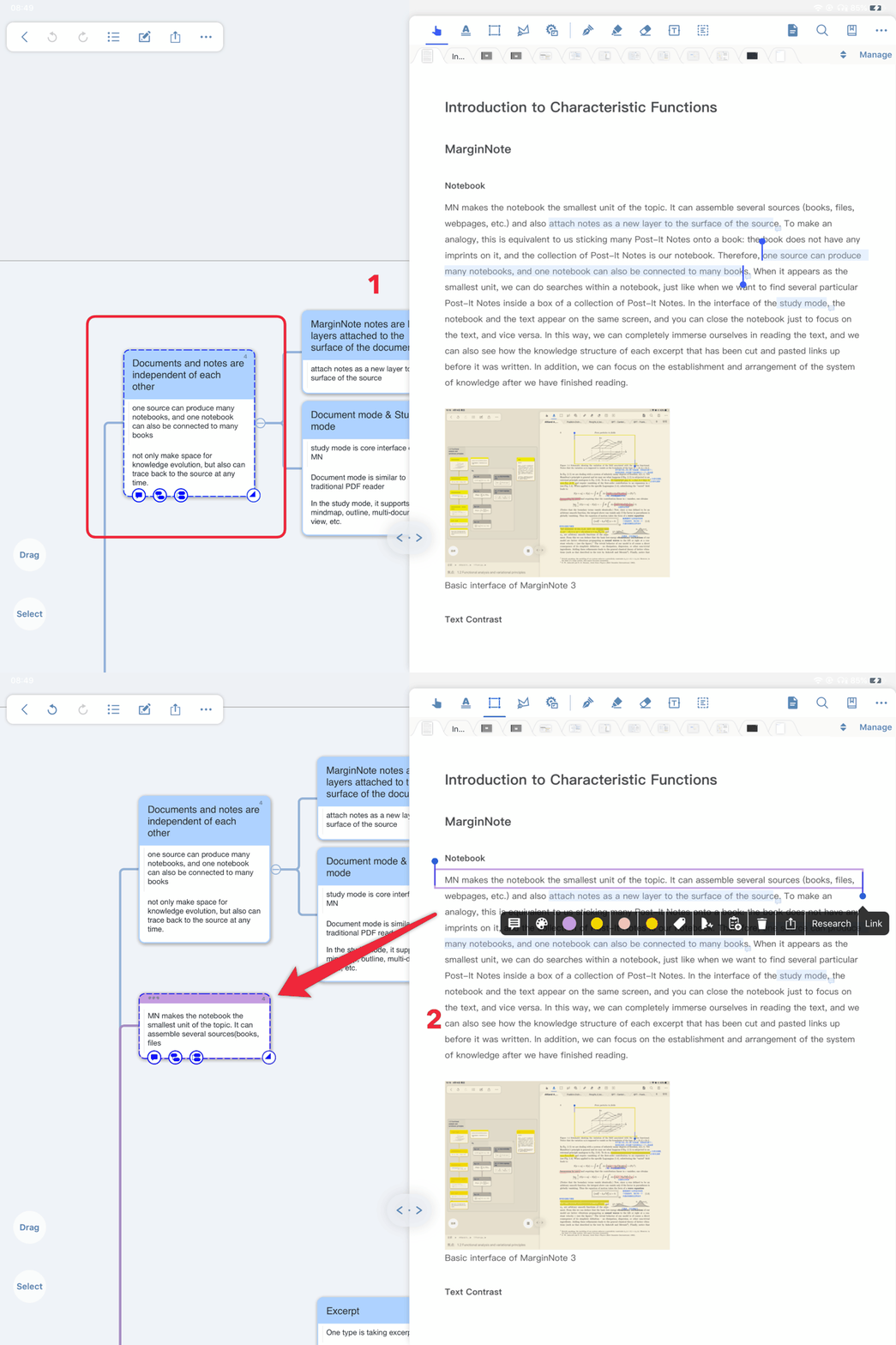
Effect
- After selecting the card in the brain map, the inserted card becomes the sibling node of the selected card
-
When a frame without a parent is selected, the inserted card becomes a child node of the frame
-
When a small frame with a superior is selected, the inserted card becomes a sibling node of the frame
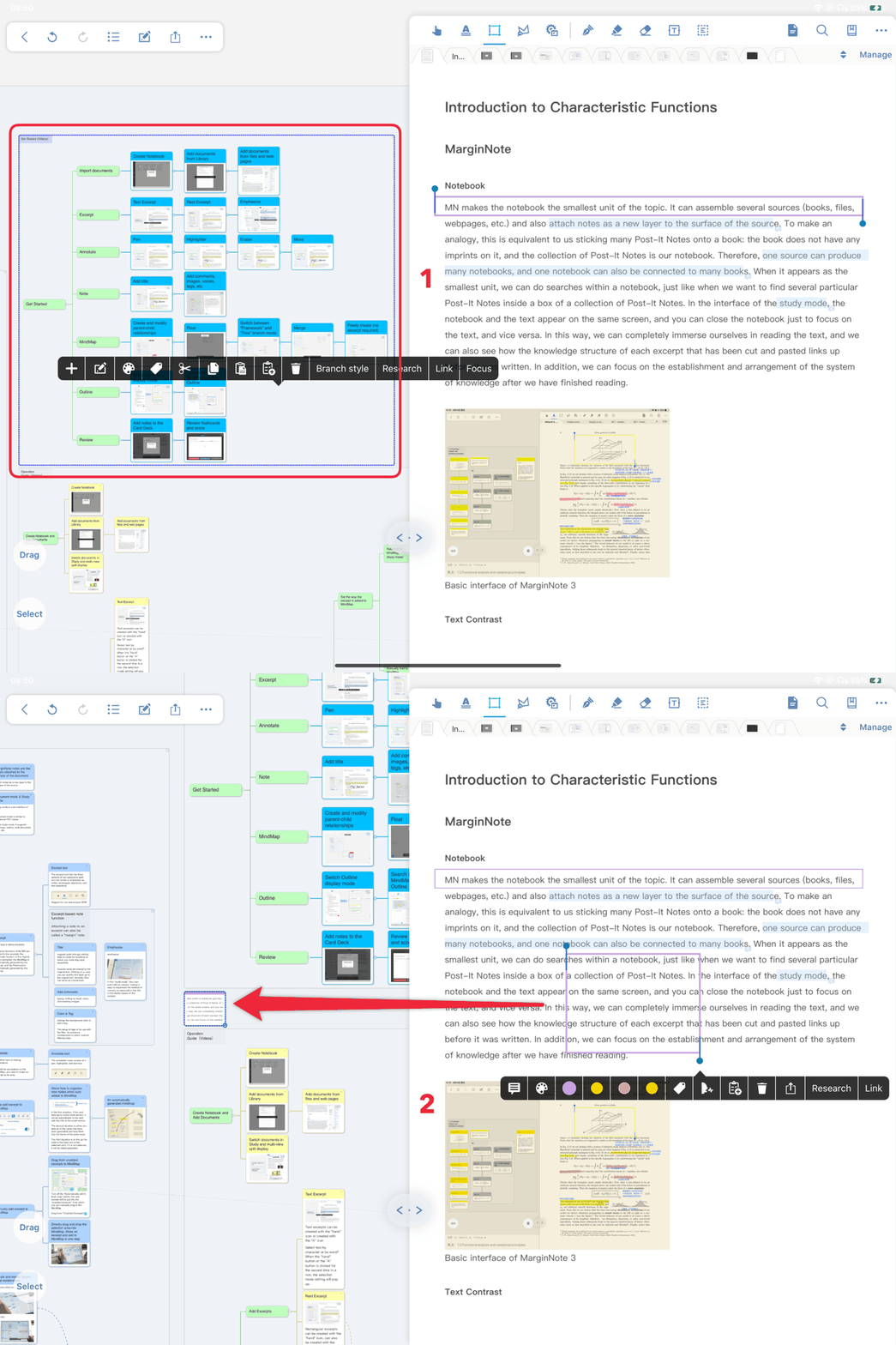
- Without selecting any card, the inserted card becomes a free item, which is displayed on the upper layer of the remaining cards in the brain map, and can be dragged to establish a node relationship with other cards.
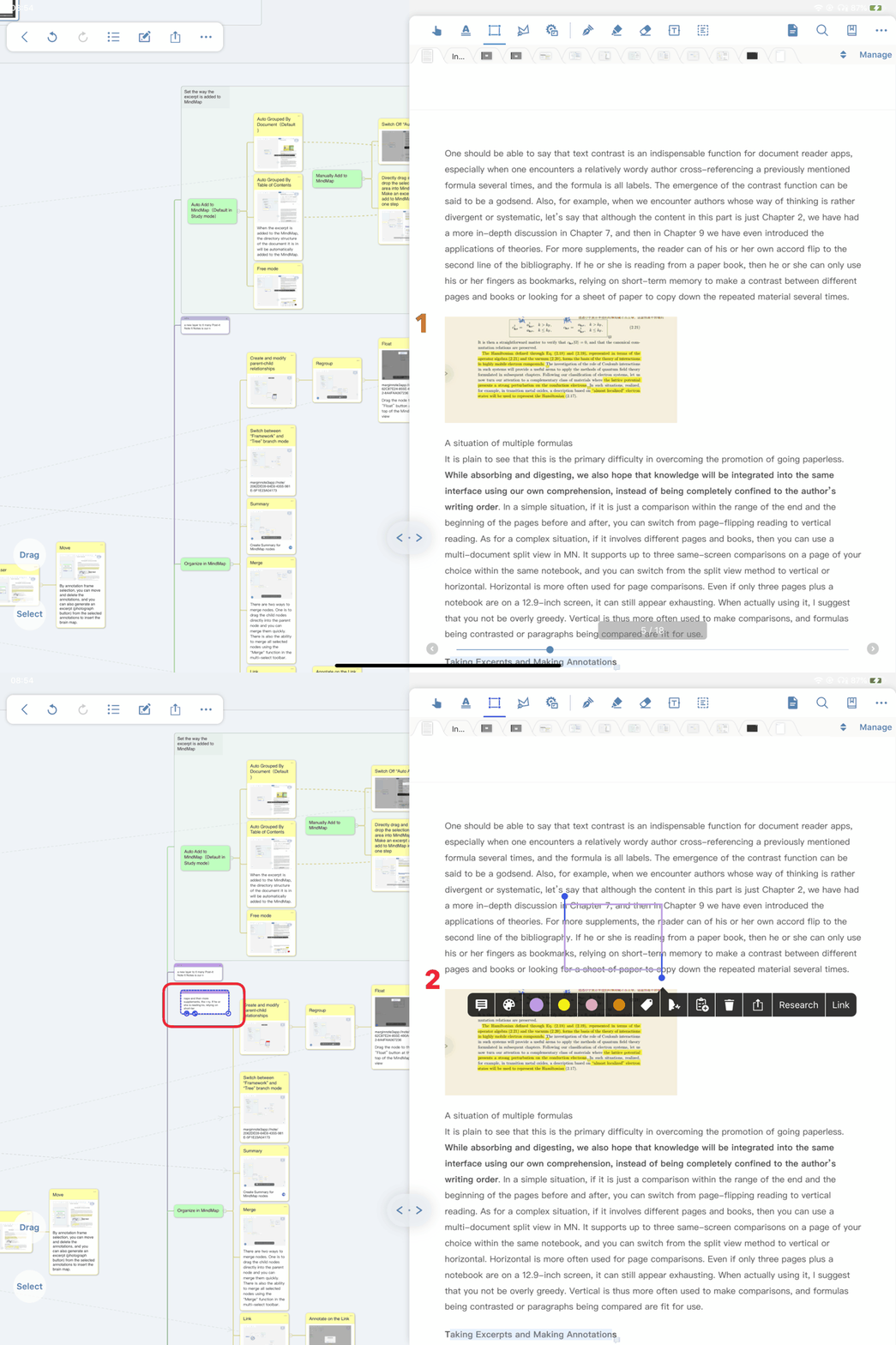
- In focus mode, no card is selected and the inserted card becomes a child node of the frame