Adding MindMap cards
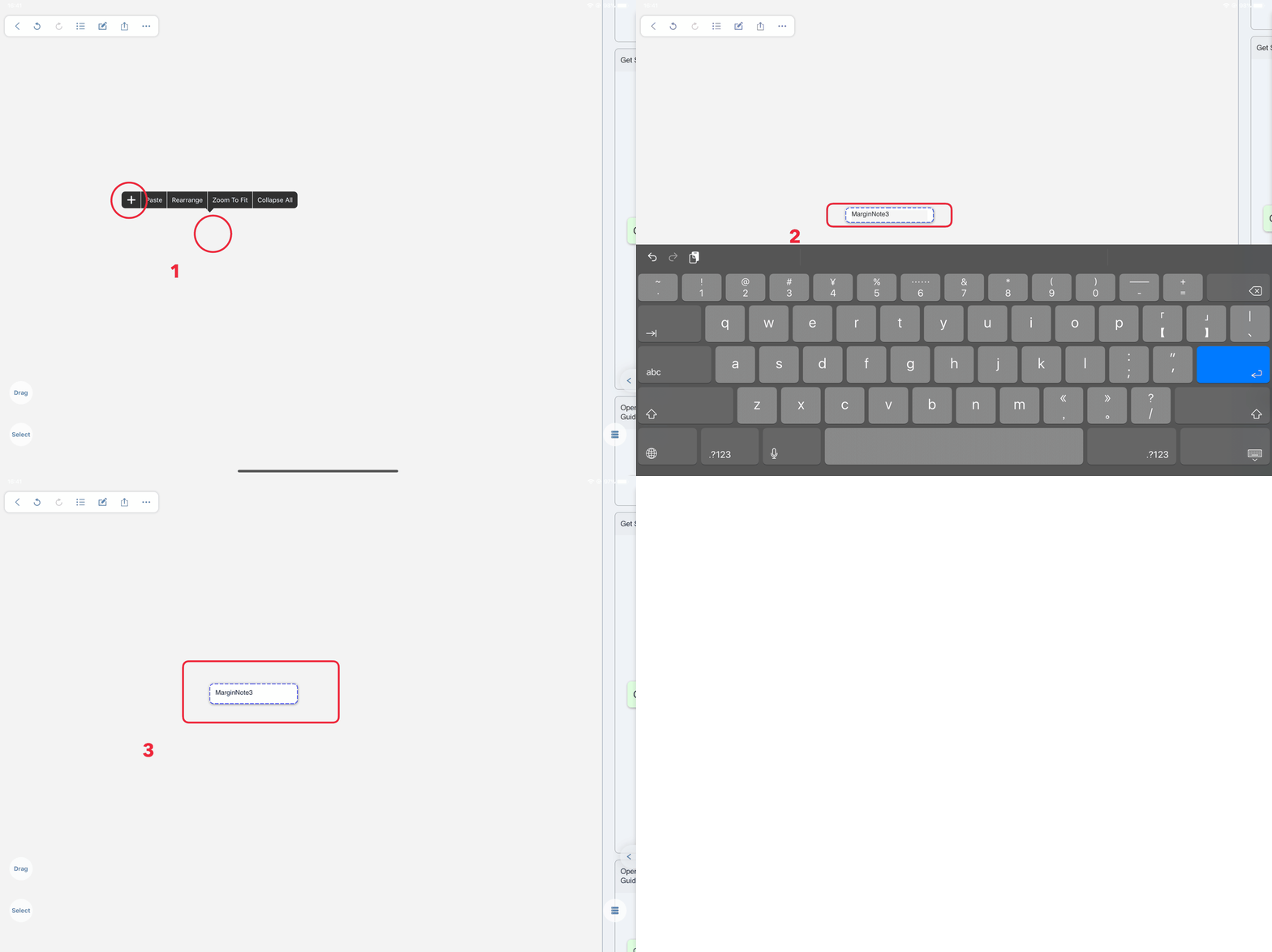
- In the studying module → enter the notebook → open the BrainMap interface → click the blank space of the BrainMap (
 focus mode is not available) → select the “
 ” icon in the pop-up toolbar to create new content
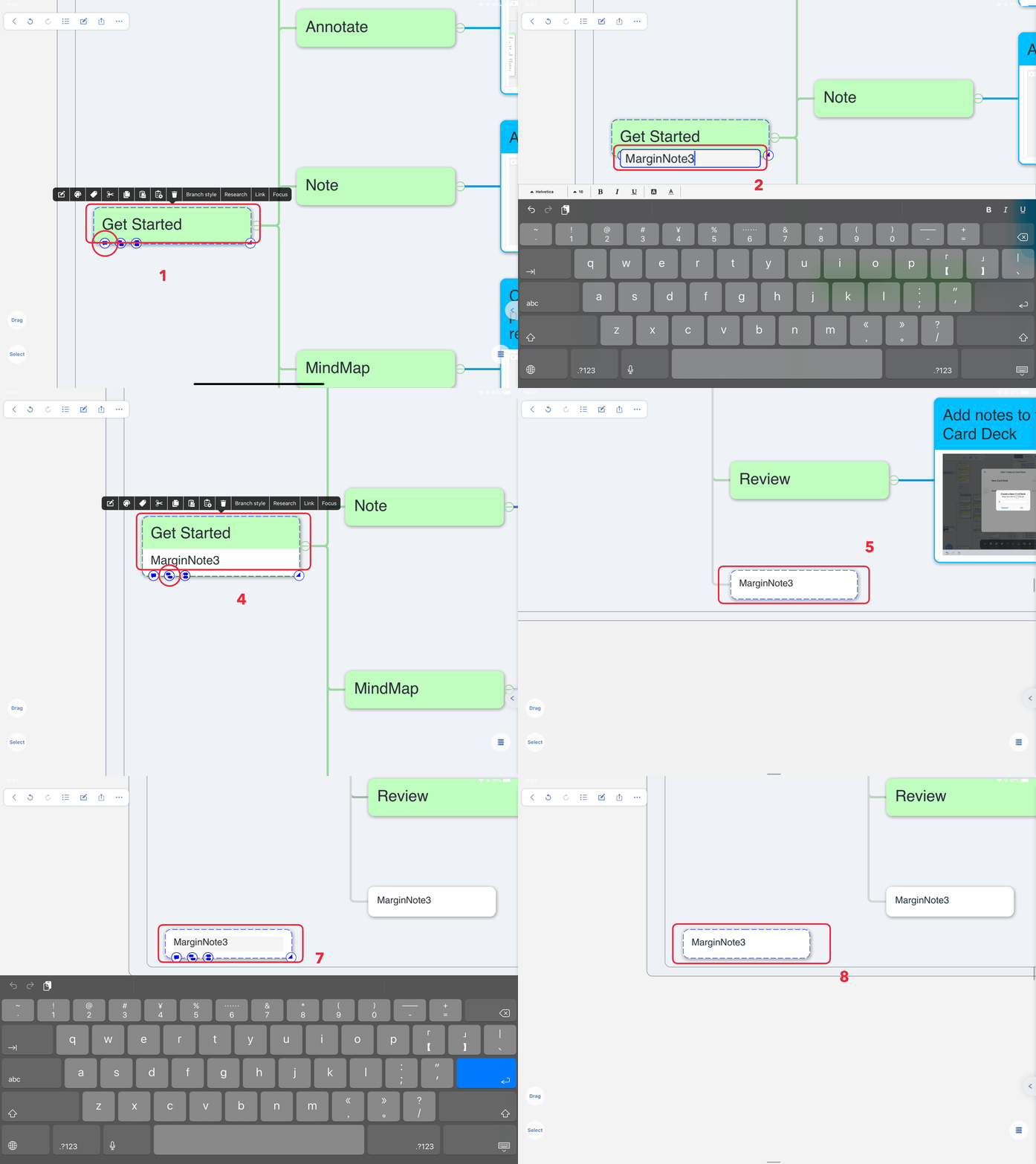
- In the studying module → enter the notebook → open the BrainMap interface → select the card → click the three left icons that appear below the card to add comments, child nodes, and sibling nodes respectively
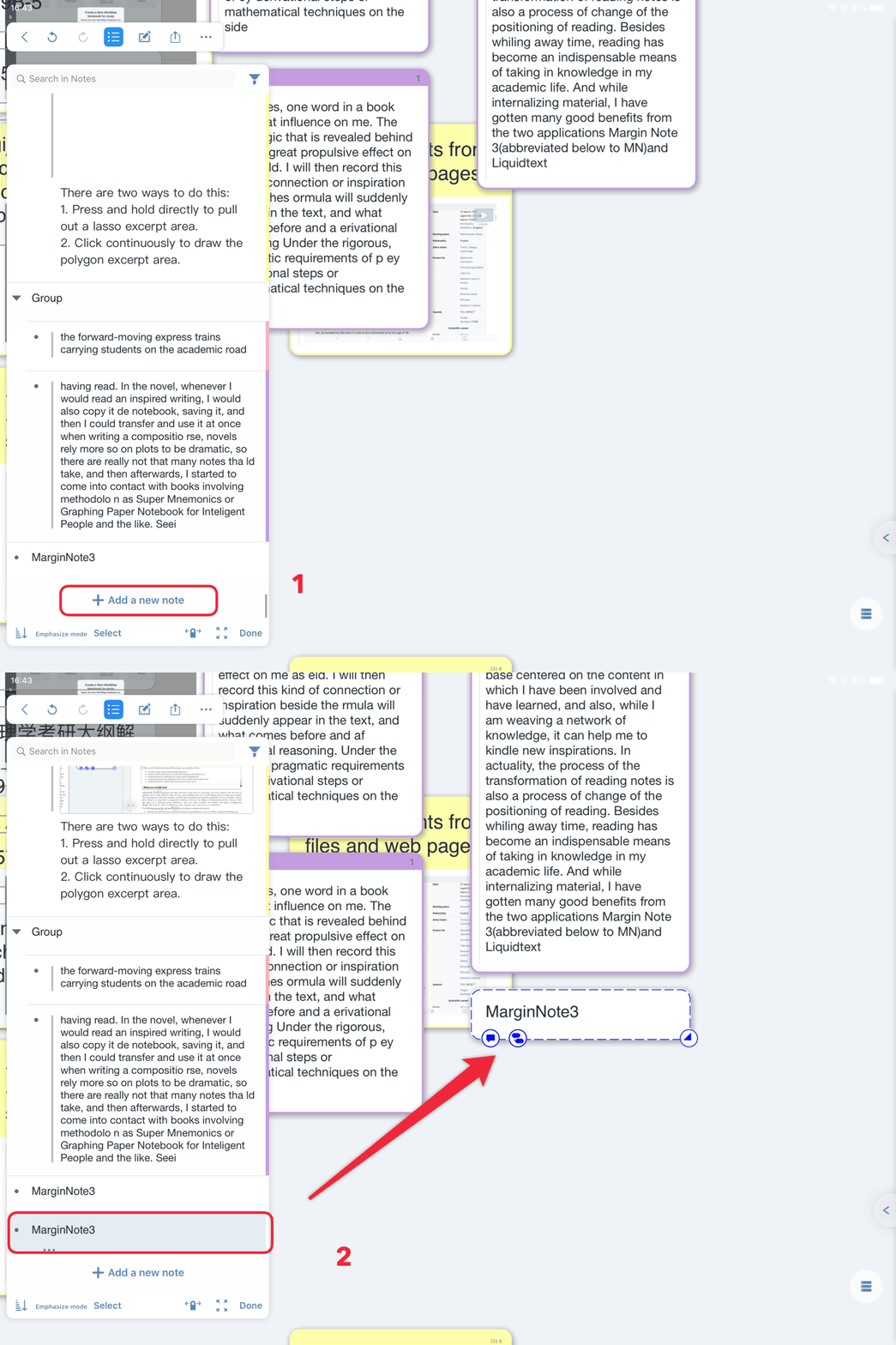
- In the studying module → enter the notebook → open the BrainMap interface → click the list icon in the upper left corner → slide to the bottom of the outline list → click “ add a note”